
What if you could unlock insights from your audience with just a few clicks?
Since 1999, a leading software company has revolutionized how we gather feedback. SurveyMonkey helps people and organizations worldwide understand what others think.
Our comprehensive 2025 buyer’s guide gives you everything needed to make a smart choice. We’ll help you evaluate if this solution fits your needs for gathering information.
SurveyMonkey has evolved from a simple questionnaire creator. It now offers AI-powered features for deeper analysis. With both free and paid plans, it works for various budgets.
This guide covers features, pricing, pros and cons, and comparisons. You’ll also get practical steps for getting started. Let’s determine if this is the right tool for your project.
Key Takeaways
- SurveyMonkey is a global leader in online feedback collection, used by over 250,000 organizations.
- The guide provides a complete 2025 evaluation for making an informed decision.
- It operates on a freemium model, offering options for different needs and budgets.
- SurveyMonkey has grown from basic surveys to a full experience management system.
- You’ll learn about features, pricing, alternatives, and how to begin.
- SurveyMonkey makes it simple to create, send, and analyze questionnaires.
- This resource is essential for anyone considering this solution for their business.
What Is SurveyMonkey?
Founded over two decades ago, this software company began as a simple idea between two brothers. Ryan and Chris Finley started the work in 1999.
Today, it is a private company owned by Symphony Technology Group. This acquisition happened in 2023.
SurveyMonkey briefly operated under the Momentive name before returning to its original brand. This change solidified its core identity in the market.
Its business model is Software-as-a-Service (SaaS). The product specializes in online survey and form tools.
These tools are designed for efficient data collection and analysis. Organizations use them to gather critical information.
The company has a significant global footprint. It is headquartered in San Mateo, California.
Additional offices are located in Portland, Dublin, London, Sydney, and Bengaluru. This network supports customers in over 190 countries.
Leadership is under CEO Eric Johnson. He took over following the 2023 acquisition.
SurveyMonkey has evolved far beyond a basic questionnaire tool. It now offers AI-powered features, audience panels, and enterprise solutions.
Its portfolio includes several key products. There is the main tool for surveys and forms.
SurveyMonkey Audience provides access to market research panels. Enterprise solutions cater to larger businesses with specific needs.
Another product manages application and grant processes effectively.
Usage statistics highlight its massive scale. Over 42 million global users rely on this software.
More than 100 billion questions have been answered through the system. This represents a vast repository of collected data.
Why Consider SurveyMonkey for Your Surveys?
Collecting meaningful feedback across borders requires tools built for international scale and linguistic diversity. SurveyMonkey delivers with support for over 56 languages and availability in 190 countries. Your global customer feedback programs can reach audiences everywhere.
The software’s proven reliability attracts serious organizations. More than 250,000 entities trust this solution for critical data collection. This includes Fortune 500 companies, educational institutions, startups, and nonprofits.
AI-powered features transform how you create and analyze surveys. The system suggests questions based on your goals. It also helps interpret results for deeper insights.
This saves significant time during both setup and review phases. Data quality improves with intelligent guidance. You get clearer answers to your most important questions.
Starting from scratch is rarely necessary. An extensive template library covers countless use cases. You’ll find professionally designed surveys for customer satisfaction, employee engagement, and market research.
The question bank offers hundreds of pre-written items. These save hours of development work. You can customize any element to match your specific needs.
Multiple question types accommodate various data collection methods. Choose from rating scales, multiple choice, open text, and more. Advanced logic routes respondents based on their answers.
This creates personalized survey experiences. Respondents see only relevant questions. Completion rates often improve as a result.
Real-time analytics provide immediate value. Watch responses arrive as you distribute your survey. The reporting dashboard updates continuously with fresh data.
This allows for quick adjustments to your research approach. Spot trends as they emerge. Make data-driven decisions faster than ever before.
Custom branding maintains your professional image. Add logos, colors, and fonts that match your organization. Surveys look like natural extensions of your website.
Collaboration features enable team-based research. Share drafts with colleagues for feedback. Assign different permission levels to team members.
SurveyMonkey supports diverse research applications. Customer experience management benefits from consistent feedback loops. Employee surveys gauge workplace satisfaction.
Market research projects test new concepts with target audiences. Academic studies collect data for scholarly publications. Each use case has tailored tools and templates.
Distribution flexibility ensures you reach respondents effectively. Send surveys via email with personalized invitations. Share web links on social media platforms.
Embed forms directly into your website or blog. Collect responses through multiple channels simultaneously. Response rates typically increase with broader distribution.
SurveyMonkey brings all these capabilities together in one integrated system. The combination of global reach, intelligent features, and flexible tools makes it a compelling choice. Organizations seeking comprehensive feedback solutions find everything they need here.
SurveyMonkey’s Core Features and Capabilities
For users deciding on a survey solution, the available options and how they work are the most critical factors. This platform delivers a comprehensive suite designed for efficiency and insight.
Its capabilities cover everything from initial creation to final analysis. Let’s explore the key features that make this a powerful tool.
AI-Powered Survey Creation and Analysis
Artificial intelligence transforms how you build and understand surveys. The software can generate a complete draft in under 30 seconds based on a simple prompt.
This dramatically cuts down setup time. The AI suggests relevant questions tailored to your research goals.
It also helps interpret the collected answers after the survey closes. This provides deeper insights from your data without manual effort.
Extensive Template Library and Question Bank
Starting from scratch is rarely necessary. The product includes over 200 professionally designed templates.
These cover common use cases like customer satisfaction and employee feedback. A vast question bank offers hundreds of pre-written items.
You can mix, match, and customize any element. This service saves hours of development work.
Advanced Logic and Custom Branding
Advanced logic creates dynamic, personalized survey experiences. Features like skip logic and branching show respondents only relevant questions.
This improves completion rates and data quality. Custom branding options let you apply your logo, colors, and fonts.
Your surveys will look like a natural extension of your website. This maintains a consistent professional image.
Robust Data Analysis and Real-Time Reporting
Watch responses arrive live on your reporting dashboard. Real-time analytics allow for quick adjustments to your research.
Filter results by various criteria to spot trends. Export your data to multiple formats for further analysis.
The tools make it easy to turn raw answers into actionable insights. This is a smart way to support data-driven decisions.
Team Collaboration and Enterprise-Grade Security
Multiple users can work on surveys simultaneously. Team features include version control and permission settings.
For sensitive research, enterprise-grade security is crucial. The platform offers HIPAA-compliant features for premium subscribers.
It also maintains SOC 2 Type II compliance for enterprise plans. Your data is protected with encryption and secure hosting.
Understanding SurveyMonkey’s Pricing Plans
Before committing to any software solution, understanding the cost structure is essential for making an informed purchasing decision. SurveyMonkey operates on a freemium and subscription-based model.
The pricing offers different tiers to match various needs and budgets. Each plan unlocks specific capabilities for your research projects.
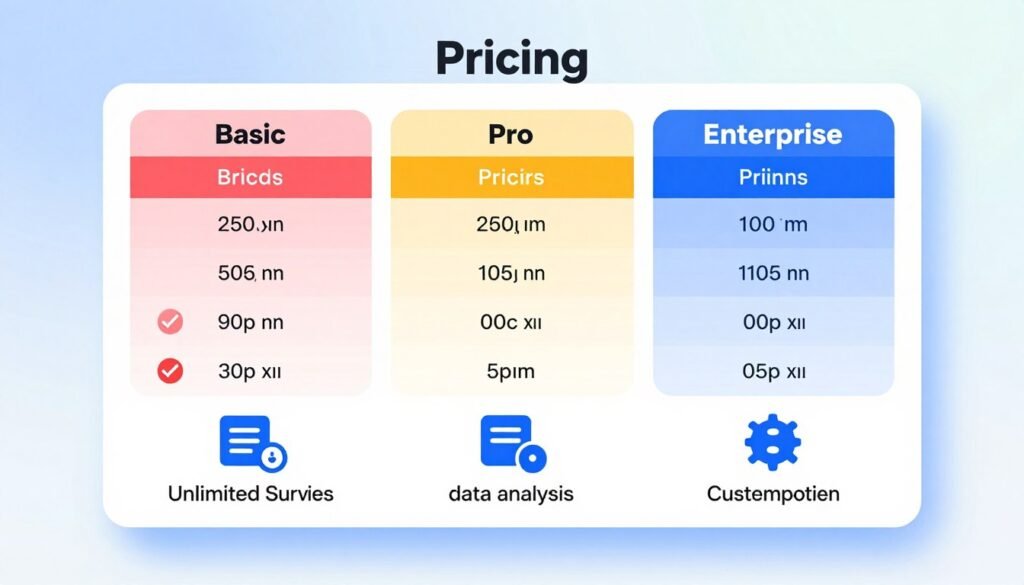
Free (Basic) Plan Overview
The free version provides a starting point for basic feedback collection. You can test core functionality without financial commitment.
This free plan has clear limitations for serious research. Surveys are capped at 10 questions each. You can collect only 25 responses per survey.
Access to advanced features remains restricted. Logic branching and custom branding are unavailable. The tool provides basic templates and question types.
This option works well for simple, low-volume projects. Students and individuals often begin here. It helps you evaluate the platform’s interface.
Individual Premium Plans
Paid individual plans start with the Standard Monthly option at $99. This unlocks significant capabilities for professional use.
You gain unlimited questions and responses with premium subscriptions. Custom branding lets you apply your logo and colors. Data exports become available in multiple formats.
Advanced logic features create dynamic survey experiences. Skip logic shows respondents only relevant questions. This improves completion rates and data quality.
Additional premium tiers offer more sophisticated analysis tools. These plans suit consultants, researchers, and small business owners. They provide professional features without team collaboration needs.
Team and Enterprise Solutions
Team plans begin at $25 per user each month. A minimum of three users is required for this tier.
Shared templates and centralized billing streamline collaboration. Team management tools control permissions and access levels. This plan supports growing organizations with multiple contributors.
Enterprise solutions feature custom pricing based on specific requirements. They include advanced security features and dedicated account management.
API access enables integration with other business systems. Premium support options ensure rapid assistance. These solutions cater to large organizations with complex needs.
The platform’s enterprise-grade security includes HIPAA compliance for healthcare data. SOC 2 Type II certification protects sensitive information. Your research data remains secure throughout the process.
Additional costs apply for specialized services like audience panels. Market research respondents are priced separately based on sample size. Targeting criteria also affect the final cost.
Evaluate which plan makes sense for your situation. Consider your expected survey volume and required features. Team size and security requirements also influence the decision.
Compare each tier against your specific use cases. The free plan suits initial exploration. Individual premium plans work for independent professionals.
Team options support collaborative environments. Enterprise solutions address large-scale, secure deployments. Choose the product that aligns with your budget and goals.
The Advantages: SurveyMonkey Pros
The right survey software delivers tangible benefits that streamline research and improve data quality. Organizations of all sizes appreciate platforms that combine powerful features with straightforward operation.
This section examines the key advantages that make this solution popular. We’ll look at both platform capabilities and real user experiences.
Ease of Use and Quick Setup
User reviews consistently highlight the platform’s intuitive design. Comments like “Very easy to use and navigate” and “Easy to use and user friendly most” appear frequently.
The interface makes easy survey creation possible without technical training. You can build professional questionnaires in minutes rather than hours.
This ease of use extends to every stage of the process. Setting up your first project requires minimal learning time. The system guides you through each step clearly.
Pre-built templates and a question bank accelerate your work. You avoid starting from a blank page for common research needs. This quick setup gets your projects launched faster.
Strong Brand Recognition and Reliability
With 26 years in business, this company has established significant trust. Its longevity provides confidence in the platform’s stability and ongoing development.
Organizations value working with a proven industry leader. The strong brand recognition means most respondents are familiar with the platform. This familiarity can improve participation rates for your surveys.
The track record demonstrates reliable service through changing technology landscapes. You can plan long-term research projects with confidence. SurveyMonkey will likely remain available throughout your study duration.
Powerful Audience Panel for Market Research
Finding qualified respondents represents a major challenge for market studies. The platform’s audience panel solves this problem effectively.
You gain access to millions of pre-screened participants. This service eliminates the time-consuming task of recruiting survey takers. Your marketing research projects launch much quicker.
The panel provides targeted respondents based on your criteria. You reach specific demographics, industries, or geographic regions. This targeting improves the quality of your customer insights.
This feature transforms how organizations conduct external research. It turns complex participant recruitment into a simple selection process. You focus on analysis rather than logistics.
Global Support and Multi-Language Surveys
International research requires tools that work across borders. The platform supports surveys in over 56 languages for true global reach.
You can collect feedback from customers worldwide in their preferred languages. This capability is essential for multinational organizations. It ensures you understand diverse market experiences.
The system handles international data collection compliance features. You can conduct polls that respect regional regulations and privacy standards. This reduces legal risks for your global projects.
Support resources are available for users across different time zones. Whether you’re in the United States or elsewhere, assistance is accessible. This global support network maintains your research momentum.
Real-time reporting delivers immediate insights as responses arrive. Watch your dashboard update with fresh data continuously. This allows for agile decision-making based on current information.
SurveyMonkey scales from simple free surveys to enterprise solutions. Small teams can start with basic features and expand as needs grow. Larger organizations benefit from advanced security and compliance options.
Extensive integration options connect with popular business tools. While some integrations require higher-tier plans, the available connections streamline workflows. You can incorporate survey data into your existing systems.
These combined advantages create a comprehensive feedback solution. The platform addresses both immediate research needs and long-term strategic goals. Organizations find it delivers consistent value across different use cases.
The Drawbacks: SurveyMonkey Cons
Balanced evaluation requires looking at both strengths and weaknesses of any platform. User feedback reveals practical challenges that can impact your research workflow. This honest review examines reported limitations to help you make an informed choice.
Limitations of the Free Plan
The free version serves as a basic introduction but has strict boundaries. Users face a 10-question maximum per survey. Response collection stops at just 25 answers per project.
This restriction surprises many new users. One complaint states, “The limitation of only 25 responses for the free version was also a surprise.” Serious research projects quickly outgrow these constraints.
Advanced logic and custom branding remain locked. Data export options are limited on this tier. The free plan works best for simple classroom exercises or personal polls.
Pricing Can Be Costly for Advanced Features
Accessing professional tools requires a paid subscription. Individual plans start at $99 per month. Team options begin at $25 per user with minimum seat requirements.
Some users report frustration with pricing transparency. One review notes, “You spend a lot of time building a survey with no mention of fees until your done.” The jump from free to paid represents a significant cost increase.
Enterprise solutions involve custom pricing that may strain smaller budgets. Audience panel services add separate costs based on sample size. Organizations must carefully evaluate their return on investment.
User-Reported Issues with Support and Login
Technical problems can disrupt important research activities. Multiple users mention login difficulties across devices. One complaint explains, “It constantly forgets my devices and threatens to lock me out of being able to login.”
Customer support response times receive mixed feedback. Some users report slow assistance for critical issues. Reaching a support representative can prove challenging during urgent situations.
Platform stability issues occasionally surface in user reviews. These technical glitches can delay data collection projects. Teams working under tight deadlines may find such interruptions problematic.
Design and Customization Constraints
Creative control has boundaries compared to some competitors. Lower-tier plans limit branding options and layout flexibility. Question formatting choices may feel restrictive for complex surveys.
The learning curve for advanced logic features can be steep. Setting up sophisticated skip patterns requires practice and patience. Users without technical training might struggle with these tools.
Data analysis within the platform has noted limitations. Comparing results across multiple surveys can be cumbersome. Cleaning and organizing raw data may require external software.
Export formats sometimes lack the depth needed for statistical analysis. Integration with other business systems varies by plan level. These constraints shape how you work with your collected information.
Understanding these drawbacks provides a complete picture. Every platform has trade-offs between features, cost, and usability. Your decision should weigh these factors against your specific needs.
SurveyMonkey vs. Jotform: A Head-to-Head Comparison
Direct platform comparisons reveal how design philosophies shape user experience and research outcomes. Both platforms serve the online feedback collection market but with different core strengths.
This analysis helps you match the right tool to your specific data collection needs. We examine templates, features, pricing, and ideal applications.
Feature and Template Comparison
Template availability dramatically affects setup time. Jotform provides over 10,000 ready-made templates for countless scenarios.
The established survey platform offers around 200 professionally designed templates. This difference influences how quickly you can launch projects.
Conditional logic represents another key distinction. Jotform supports advanced conditional logic for creating dynamic, complex forms.
The other service provides more basic skip logic in its standard plans. This affects how personalized you can make respondent experiences.
Customization options vary significantly between platforms. Jotform allows extensive design control over form layout and styling.
The alternative platform maintains a more structured, branded approach to survey design. Your choice depends on how much creative flexibility you need.
Mobile experience and offline capabilities differ too. Both platforms offer mobile-responsive forms that work on smartphones and tablets.
Jotform includes offline data collection features in some plans. This can be crucial for field research without reliable internet access.
Pricing and Value Analysis
Free plan structures reveal each company’s approach to user acquisition. Jotform’s free tier includes 5 forms, 100 MB storage, and 1,000 monthly views.
The competing free plan limits surveys to 10 questions and 25 responses. These constraints shape what you can accomplish without payment.
Paid individual plans start at different price points. Jotform begins at $34 per month for its Bronze plan.
The other service starts its individual premium plans at $99 monthly. This substantial price difference affects budget planning.
Integration ecosystems support different workflow needs. Jotform connects with 100+ third-party applications through native integrations.
The alternative platform offers a more selective set of business tool connections. Your existing software stack may influence this decision.
Value analysis requires matching features to your actual usage. Consider which advanced capabilities you truly need for your projects.
Ideal Use Cases for Each Platform
Traditional market research and customer satisfaction studies benefit from specialized tools. The established survey platform excels with its audience panel and research templates.
Its strength lies in standardized feedback collection across large groups. This makes it ideal for consistent business measurement programs.
Complex forms, applications, and detailed data collection suit Jotform’s capabilities. Its form-building flexibility handles multi-step processes effectively.
Payment collection, registration systems, and application workflows work well here. The platform manages intricate data relationships smoothly.
Small businesses needing branded surveys on a budget should evaluate both options. The higher-priced platform offers strong brand recognition and simplicity.
The more affordable alternative provides greater design freedom and form complexity. Your priority between ease-of-use and customization guides this choice.
Teams requiring specific third-party integrations should check compatibility lists. Jotform’s extensive ecosystem supports niche business tools and workflows.
The other service focuses on core survey functionality with select major platform connections. Your integration needs may determine the best fit.
Educational institutions and nonprofits often balance features with limited budgets. Both platforms offer discounted plans for qualifying organizations.
The decision hinges on whether you need simple survey distribution or complex form management. Each platform serves different aspects of data collection effectively.
Top SurveyMonkey Alternatives for 2025
Exploring alternatives is a smart step before finalizing your survey tool investment. The market offers several strong platforms, each with unique strengths for different research needs.
This overview highlights the most compelling options available in 2025. We categorize them by ideal use cases to help you match features with your goals.
Google Forms: Best for Simple, Integrated Surveys
Google Forms is the top choice for basic, cost-free data collection. It integrates seamlessly with Google Workspace, including Sheets and Drive.
This makes data transfer and collaboration incredibly simple for teams already using Google. The platform is ideal for quick polls, event registrations, and simple feedback forms.
Its major limitation is a lack of advanced customization and logic features. Survey design options are relatively basic compared to dedicated tools.
You also get limited analytical capabilities within the form interface itself. For complex research or branded surveys, you may need more powerful software.
QuestionPro: Best for a Full-Featured Free Tier
QuestionPro stands out with a remarkably generous free plan. Users can collect up to 100 responses per survey without paying.
This makes it a strong contender for academic projects or small business market research. The platform includes robust features like advanced logic and a wide variety of question types.
Paid plans start at $99 per month for more sophisticated needs. These unlock even more powerful analysis tools and higher response limits.
It’s an excellent option if you need more than a basic free tool but have a moderate budget. The balance of features and value is a key selling point.
Survicate: Best for Customer Experience Feedback
Survicate specializes in gathering and acting on customer insights. Its tools are optimized for targeting website visitors and app users with context-aware surveys.
The platform integrates deeply with customer data platforms and help desks. This allows for highly personalized feedback collection based on user behavior.
A free account allows 25 responses per month. The Business plan offers a 10-day free trial for evaluation.
This software is perfect for teams focused on improving customer satisfaction and product experience. It turns feedback into actionable data quickly.
Alchemer and Qualtrics: Best for Enterprise Research
For complex, large-scale research needs, Alchemer and Qualtrics lead the market. These are enterprise-grade platforms with sophisticated capabilities.
Alchemer paid plans start at approximately $55 per user each month. It excels in employee assessments, detailed market studies, and advanced survey logic.
Qualtrics is the experience management leader, specializing in customer, employee, and brand research. It offers predictive analytics and comprehensive reporting dashboards.
Qualtrics uses custom enterprise pricing and does not publicly list standard rates. Both platforms are investments for organizations with serious, ongoing research programs.
Your final choice depends on survey complexity, integration needs, and budget. Simple, integrated forms point toward Google Forms.
A generous free tier makes QuestionPro attractive. Specialized customer feedback loops align with Survicate.
For advanced enterprise research, Alchemer and Qualtrics provide the necessary depth. Evaluate these options against your specific project requirements.
Who Is SurveyMonkey Best For?
The ideal survey platform isn’t universal. It depends entirely on your specific research goals, team structure, and budget constraints.
This software delivers exceptional value to particular organizational profiles. Understanding these matches helps you decide if it’s right for your needs.
Over 250,000 organizations worldwide use this solution. They range from Fortune 500 companies to small startups.
The platform serves educational institutions and non-profits effectively. Each group leverages different feature combinations.
Small to Medium Businesses Needing Branded Surveys
Small and medium businesses benefit from professional-looking feedback tools. They need surveys that reflect their brand identity.
Custom branding maintains a consistent customer experience. Adding logos and colors builds trust with respondents.
The scalable pricing model works for growing companies. Teams can start with free plans and upgrade as needs expand.
Customer satisfaction tracking becomes straightforward. Regular feedback provides actionable insights for improvement.
Employee engagement surveys help maintain positive workplace culture. The platform makes these projects manageable for small teams.
Market Researchers Using Audience Panels
Professional researchers face constant respondent recruitment challenges. Finding qualified participants consumes valuable time.
The integrated audience panel solves this problem completely. It provides access to millions of pre-screened individuals.
Targeting specific demographics ensures high-quality data. You can reach precise consumer segments for marketing studies.
This eliminates weeks of recruitment effort. Studies launch quickly with reliable respondent pools.
The service transforms how organizations conduct external research. It turns complex logistics into simple selection processes.
Educational Institutions and Non-Profit Organizations
Schools and universities receive special academic pricing. This makes professional tools accessible on limited budgets.
SurveyMonkey Apply manages scholarship and grant applications efficiently. It streamlines review processes for selection committees.
Research compliance meets educational standards. Student projects collect data ethically and securely.
Non-profits use tools for donor feedback and program evaluation. Understanding supporter perspectives improves fundraising effectiveness.
Charitable donation integration helps organizations collect contributions directly. This connects feedback with actionable support.
Teams Requiring Simple Collaboration Tools
Many organizations need basic team features without complex workflows. Shared templates accelerate project setup for everyone.
Centralized response data keeps information organized. All team members access the same collected information.
Simple permission management controls who sees what. You can assign different access levels based on roles.
Version tracking prevents confusion during survey development. Teams can collaborate without overwriting each other’s work.
The platform supports straightforward team research projects. It works well for departments conducting regular feedback cycles.
Who Might Want to Look Elsewhere?
Understanding when to consider alternatives prevents costly mismatches between tools and requirements. Even the most popular survey software won’t fit every organization’s unique situation.
This honest assessment helps you avoid frustration down the road. Some user profiles will find better solutions elsewhere.
Users on a Very Tight Budget
Budget constraints immediately eliminate certain options. The individual premium plan starts at $99 per month.
This pricing may be prohibitive for individuals or very small organizations. Freelancers and startups often need more affordable tools.
The free plan has strict limitations of 10 questions and 25 responses. Serious research quickly outgrows these boundaries.
Cheaper alternatives offer more generous free tiers. Some competitors provide 100+ responses at no cost.
Evaluate your monthly survey volume against the cost. Calculate whether you’ll use enough features to justify the expense.
Those Needing Highly Complex Survey Logic
Advanced research projects demand sophisticated question routing. Basic skip logic may not suffice for complex studies.
Conditional branching, answer piping, and scoring systems require specialized capabilities. Some platforms offer more powerful logic builders.
Academic research often involves intricate survey designs. Psychological assessments need precise scoring algorithms.
Product testing may require advanced conjoint analysis features. These specialized tools go beyond standard survey functionality.
If your work involves multi-stage adaptive questionnaires, explore dedicated research platforms. They handle complex logic more effectively.
Companies Requiring Deep Third-Party Integrations
Businesses with established software ecosystems need seamless connections. The platform’s integration options may feel limited for some workflows.
Competitors offer 100+ native integrations with popular business tools. This includes specific CRM, marketing automation, and data analytics systems.
Real-time data synchronization between platforms is crucial for some teams. Automated workflows that trigger based on survey responses save valuable time.
Custom API implementations require robust developer support. Some organizations need more extensive integration capabilities.
Check whether this product connects with your essential business applications. If not, alternatives might serve you better.
Users Prioritizing Maximum Design Flexibility
Creative control over survey appearance matters for brand-conscious organizations. Template-based designs can feel restrictive.
Some teams need completely custom layouts beyond standard templates. Advanced styling options for fonts, colors, and spacing may be limited.
Mobile-responsive designs must match specific brand guidelines. The platform maintains a structured approach to survey design.
Competitors allow more granular control over every visual element. This includes custom CSS editing for advanced users.
If your brand requires pixel-perfect survey experiences, explore alternatives with greater design freedom. Your marketing team will appreciate the flexibility.
Very large enterprises may need more robust security and compliance controls. Some organizations require specialized administrative features.
Global companies might need data residency in specific countries. Industries with strict regulatory requirements should verify compliance standards.
Evaluate whether the platform scales to your organization’s size and complexity. Consider your future growth plans when choosing a tool.
Refer back to the alternative platforms discussed earlier in this guide. Match their strengths against your specific requirements.
This honest evaluation ensures you select the right software for your needs. Avoiding a mismatch saves time, money, and frustration.
How to Get Started with SurveyMonkey
Launching your first feedback collection project requires a clear, actionable roadmap from setup to insights. This guide walks you through the essential steps to begin gathering valuable information quickly.
The process follows a logical progression from account creation to analysis. Each phase builds on the previous one for smooth implementation.
Step 1: Sign Up for a Free Account
Begin by visiting the platform’s website and clicking the sign-up button. You’ll need to provide basic information like your email address and create a password.
The registration process takes just a few minutes to complete. Email verification ensures your account security before you proceed.
Once verified, you gain immediate access to the dashboard. This makes easy navigation to your first project creation possible right away.
The free account lets you explore core functionality without commitment. You can test basic features before deciding on premium options.
Step 2: Explore Templates and Build Your First Survey
Start with the template library containing over 200 professionally designed options. Browse categories like customer satisfaction, employee feedback, or market research.
Select a template that matches your goals and audience characteristics. Each template includes proven question structures for reliable data collection.
Customize the template by adding, removing, or editing questions. The question bank offers hundreds of pre-written items to save you time.
Use different question types like multiple choice, rating scales, and open text. This variety helps gather comprehensive answers from respondents.
Set up basic logic to show relevant questions based on previous answers. Preview your survey to ensure everything works correctly before distribution.
Step 3: Distribute and Collect Responses
Choose your distribution method based on where your audience spends time. Email invitations allow personalized messaging and tracking.
Generate a shareable web link for social media platforms or messaging apps. This way reaches people who prefer clicking rather than opening emails.
Embed the survey directly into your website or blog for visitor feedback. QR codes work well for in-person events and printed materials.
Response collection happens automatically as people complete your questions. The dashboard shows real-time updates as data comes in.
Set up email notifications to alert you when new responses arrive. Monitor completion rates to gauge engagement with your survey.
Step 4: Analyze Results and Consider Upgrades
View basic summary statistics immediately in your free account dashboard. See response counts, average ratings, and common answer patterns.
The free version provides fundamental analysis tools for initial insights. You can filter results by completion date or specific answer choices.
Export your data to spreadsheet formats for deeper examination outside the platform. This allows more sophisticated analysis using other software.
Consider upgrading when your response volume exceeds free plan limits. Premium features like advanced filtering and cross-tabulation provide richer insights.
Evaluate whether you need team collaboration tools or custom branding. The platform’s paid plans unlock these powerful features for professional use.
Assess your ongoing research needs against available subscription options. Choose the plan that matches your projected survey frequency and complexity.
Making Your Final Decision
A systematic evaluation framework transforms subjective preference into objective selection. Your choice of survey software impacts data quality and research efficiency. This guide helps you navigate the decision process with confidence.
Begin with a thorough needs assessment for your organization. Inventory all current and future survey requirements. Consider both immediate projects and long-term strategic goals.
Budget constraints often dictate available options. Compare free trial limitations against paid plan capabilities. Remember that the lowest price may not offer necessary features.
Survey complexity determines which platform suits your work. Simple polls need different tools than complex academic studies. Match the software’s capabilities to your specific use cases.
Team size influences collaboration requirements. Solo researchers have different needs than large departments. Consider how many people will create and analyze surveys.
Integration needs with existing business systems are crucial. Check compatibility with your CRM, marketing tools, and data analytics platforms. Seamless connections save time and reduce errors.
Long-term scalability ensures your investment grows with your organization. The right tool should support expanding survey volume and complexity. Avoid platforms that limit future growth.
Create a weighted scoring system to compare alternatives objectively. Assign importance values to each decision factor based on your priorities. Rate each platform against these criteria systematically.
Common decision pitfalls can derail your selection process. Overestimating feature needs leads to paying for unused capabilities. Underestimating user adoption challenges causes implementation delays.
Neglecting long-term scalability considerations creates future migration headaches. Focus on practical requirements rather than impressive but unnecessary features. Test each platform with real-world scenarios.
During free trials or demos, ask specific practical questions. Inquire about ease of use for your team members. Understand the learning curve for advanced features.
Test support responsiveness with actual questions. Evaluate how quickly you receive helpful answers. This reveals the quality of ongoing assistance.
Contract and commitment considerations affect total cost. Compare monthly versus annual billing options. Annual plans often offer significant discounts.
Review cancellation policies before signing agreements. Understand data portability if switching platforms later. Ensure you can export all collected information easily.
A decision timeline framework keeps evaluation organized. For simple surveys, two weeks may suffice. Complex implementations need one to two months.
Match the evaluation period to your survey volume and complexity. Rushed decisions often lead to poor platform matches. Allow time for thorough testing of all critical features.
Use this checklist of key decision factors during your review. Budget constraints determine what you can afford. Required features must match your research methodology.
Survey complexity guides platform capability requirements. Team collaboration needs influence permission structures. Integration requirements connect surveys to other business tools.
Customer feedback collection demands reliable distribution methods. Employee experience measurement needs confidentiality assurances. Each use case has unique technical requirements.
Evaluate SurveyMonkey against alternatives based on specific needs. General comparisons provide limited value. Match platform strengths to your exact research scenarios.
Consider how each tool handles your most common survey types. Test question logic and branching capabilities. Verify reporting and analysis features meet expectations.
The free plan offers basic functionality for initial testing. Paid options unlock professional features for serious work. Choose the right tier for your business requirements.
Remember that the perfect platform balances capability with usability. Overly complex tools frustrate team members. Too simple options limit research potential.
Your final decision should support both current projects and future growth. The right survey tool becomes a valuable business asset. It transforms raw feedback into actionable insights.
Conclusion
The final choice in survey software represents a critical investment in your organization’s feedback capabilities.
This comprehensive 2025 guide highlights SurveyMonkey as an established platform with 26 years of experience. It serves over 250,000 organizations globally.
Core strengths include exceptional ease of use and strong brand recognition. The powerful audience panel solves market research recruitment challenges. Global multi-language support enables international data collection.
Consider limitations like free plan restrictions and premium pricing. Some design constraints exist compared to specialized alternatives.
Small to medium businesses benefit most from this tool’s balanced features. Market researchers value the integrated respondent panel.
Test the free version with its 25-response limit first. This practical trial helps evaluate the platform’s fit for your specific needs.
AI investments position this software for continued relevance. The evolving survey landscape demands adaptable tools.
Take the next step based on your requirements. Sign up for a free account or explore the alternatives discussed here.
FAQ
Is there a completely free plan available?
Yes, a basic free tier is offered. It allows you to create simple surveys and collect a limited number of responses. For features like unlimited questions, advanced analysis, and custom branding, you’ll need a paid subscription.
What are the main advantages of using this platform?
Key benefits include a user-friendly interface for quick setup, a vast library of pre-built templates, and a powerful global audience panel for sourcing respondents. It’s a reliable tool trusted by many businesses for collecting customer feedback.
How does it handle data analysis and reporting?
The software provides robust data analysis tools. You get real-time reporting, automatic charts, and AI-powered insights to spot trends. Advanced filtering and cross-tabulation help you dig deeper into your collected information.
Can I use my own branding on the surveys?
Custom branding is available on paid plans. You can add your company logo, colors, and fonts to match your visual identity. This feature is essential for creating a professional, cohesive experience for your customers.
Are there good alternatives for users on a tight budget?
Absolutely. For simple, integrated forms, Google Forms is a strong free option. QuestionPro offers a very capable free tier with more features. It’s wise to compare pricing and capabilities to find the best fit for your needs and budget.
Is this tool suitable for large-scale market research?
Yes, especially if you utilize its integrated audience panel to reach targeted respondents. For extremely complex enterprise-grade research, platforms like Alchemer or Qualtrics might offer more specialized advanced logic and analytics.
What kind of customer support can I expect?
Support varies by plan. Free users typically have access to a help center. Paid subscribers get priority email and chat support. Some user reviews have noted challenges with support response times, which is a factor to consider.
How easy is it to collaborate with my team on a project?
Team collaboration features are available. You can share surveys, assign roles, and work together on analysis in real-time. These tools are designed to streamline the workflow for groups collecting and reviewing data.