Is your IT team constantly fighting fires, struggling to keep up with patches, security alerts, and device updates across a sprawling network?
This common challenge is exactly what modern IT management platforms are built to solve. In today’s digital landscape, businesses need more than basic tools. They require a unified solution like NinjaOne that brings all endpoints under one pane of glass.
This comprehensive review examines a leading cloud-native platform designed for this purpose. NinjaOne promises to streamline operations for MSPs and internal IT teams through powerful automation and real-time monitoring.
We will explore how it centralizes control, enhances security with automated patching, and provides complete visibility from a single dashboard. The goal is to help you determine if this management approach is the right fit for your company’s growth and security needs.
Key Takeaways
- ANinjaOne centralizes control over all endpoints, saving time and reducing complexity.
- Automation of critical tasks like patch management is essential for maintaining security and compliance.
- Real-time monitoring and a single dashboard provide complete visibility into your entire device network.
- Robust security protocols and role-based access are fundamental for protecting business data.
- Scalable solutions with strong customer support are key for growing businesses and MSPs.
- Understanding the pricing structure and value proposition is crucial for making an informed purchase decision.
What is NinjaOne?
The foundation of effective IT operations lies in unified control over all connected devices and systems. NinjaOne delivers exactly that through a cloud-native architecture.
It provides a centralized solution for overseeing your entire technology environment. The goal is to simplify complex IT tasks for professional teams.
Endpoint Management and RMM Solution
This tool is fundamentally a Remote Monitoring and Management (RMM) platform. It gives complete visibility into every endpoint across your network.
You can monitor servers, workstations, and mobile devices from one dashboard. This centralized approach turns chaotic device management into a streamlined service.
Real-time monitoring and alerting keep your business informed. IT professionals gain immediate access to critical performance data.
Designed for MSPs and Enterprise IT Teams
NinjaOne was engineered specifically for Managed Service Providers and internal IT departments. Since its founding in 2013, it has focused on professional IT needs.
Major company names like Nvidia and Staples rely on this enterprise-grade tool. It helps teams deliver consistent support to end-users.
By consolidating routine tasks, IT professionals can focus on strategic initiatives. The solution supports both small businesses and large organizations.
Cloud-Native Platform for Scalability
Built as a cloud-native system, it enables seamless growth without hardware limits. Your infrastructure can adapt as your business expands.
Modern development practices ensure rapid feature deployment. There are no VPNs required for managing remote or hybrid workforces.
This architecture provides the adaptability modern company operations demand. It transforms how organizations oversee their digital systems.
Core Capabilities: Remote Monitoring and Management (RMM)
Effective IT management shifts focus from daily firefighting to strategic oversight. This transformation is powered by centralized Remote Monitoring and Management functions.
The RMM module provides the essential dashboard for this proactive approach. It offers a unified view and control center for your entire technology stack.
Endpoint Task Automation
A standout feature is the robust automation of routine IT tasks. This eliminates manual work for software installs, device setup, and maintenance.
Teams can create workflows to apply patches and updates automatically. This ensures consistency across all devices and saves significant time.
The automation engine standardizes processes for reliable outcomes. It is a core part of the platform’s value for IT management.
Real-Time Monitoring and Alerting
Continuous monitoring tracks the health of every connected device. Performance metrics and security status are watched in real time.
Immediate alerts notify technicians of potential issues. This proactive system helps prevent downtime before it affects users.
Customizable alert templates filter out noise. Teams can focus reporting and response on the most critical problems.
Secure Remote Access Foundations
Technicians gain one-click access to any endpoint for support. This built-in tool removes the need for separate remote tools.
Connections are established quickly and securely from the main dashboard. It enables fast resolution of user issues without complex setups.
This integration streamlines the support process for IT teams. It is a fundamental part of the remote management experience.
Notable Limitations and Workarounds
While powerful, NinjaOne has some constraints to note. Its scripting capabilities are currently basic and lack encryption for saved parameters.
Another point involves administrative control. Managing multiple client environments from one email address is not supported.
This can add overhead for some service providers. However, the user community has developed effective workarounds for these issues.
These limitations are generally not deal-breakers. The overall strength of the RMM system often outweighs these specific points.
Automated Patch Management Across OS
Automated patch management transforms a reactive security task into a proactive defense strategy. This critical function ensures all software remains current across your entire network.
Manual updating simply cannot scale in modern environments. Automated solutions handle this essential maintenance with precision and consistency.
A comprehensive patch management system must address diverse operating environments. It should work seamlessly across different platforms and applications.
The right approach eliminates vulnerabilities before they become exploitable. This creates a stronger security posture for your entire organization.
Multi-OS and Third-Party Application Patching
Modern businesses operate across multiple platforms simultaneously. A robust solution must cover Windows, macOS, and Linux systems equally.
NinjaOne extends coverage to over 200 third-party applications. Critical software like browsers and productivity tools receive timely updates.
Native integration of CVE/CVSS vulnerability data helps prioritize critical patches. This proactive approach reportedly reduces vulnerabilities by up to 75%.
The cloud-based agent ensures consistent patching regardless of device location. Remote and hybrid workforces stay protected without VPN requirements.
Zero-Touch Automation and Reporting
True automation handles the complete patch lifecycle without manual steps. The system identifies, evaluates, approves, and deploys updates automatically.
This zero-touch approach frees IT teams from routine maintenance tasks. They can focus on strategic initiatives instead of manual patch deployment.
Scheduled deployments with approval workflows provide administrative control. Updates can be staged to avoid disrupting business operations.
Comprehensive reporting tools deliver clear visibility into patch compliance. These reports are essential for security audits and posture assessment.
Detailed documentation shows which patches succeeded across all endpoints. This information helps demonstrate due diligence for regulatory requirements.
Common Patching Challenges
Even advanced systems encounter occasional operational hurdles. Understanding these limitations helps teams plan effective workarounds.
Some devices may display ambiguous red or yellow status indicators. These signals sometimes lack clear failure messages for troubleshooting.
Manual investigation becomes necessary to resolve these opaque alerts. This adds overhead to what should be a fully automated process.
Another limitation involves dynamic filtering for device groups. The system cannot create filters based on relative dates like “today minus 30 days.”
Administrators must use hardcoded dates instead of dynamic expressions. This complicates automated reporting and scheduled maintenance tasks.
Despite these challenges, the automated approach saves significant time. It provides a robust solution for keeping complex environments secure.
The ability to manage diverse software ecosystems from one dashboard is valuable. It represents a major advancement over manual patch management methods.
Mobile Device Management (MDM) Features
In today’s workplace, a company’s technology footprint extends far beyond traditional desktops and servers. Smartphones and tablets are essential tools, requiring the same level of oversight and support.
NinjaOne integrates Mobile Device Management directly into its core endpoint console. It provides a unified management layer for the entire mobile fleet.
Unified Management for Android and iOS
The system supports both Android and iOS devices from a single pane of glass. This eliminates the need for separate tools for different mobile platforms.
It handles both company-owned and personal (BYOD) device scenarios. Remote enrollment and automated provisioning get devices configured and secured quickly.
IT teams can install, block, or remove applications across all mobile endpoints. This centralized app management ensures policy compliance.
Policy Enforcement and Kiosk Modes
Administrators create and enforce comprehensive mobile policies at scale. These rules ensure security compliance and a consistent experience for all users.

Specialized kiosk modes are a standout feature for dedicated business use. Single or multi-app kiosk modes lock down devices for specific functions.
This is ideal for point-of-sale terminals, digital signage, or inventory scanners. It provides strict control over the device’s purpose and capabilities.
Geolocation tracking provides real-time data on device location. This aids in asset tracking and loss prevention efforts.
Remote Support for Mobile Endpoints
Technicians are not left helpless when mobile issues arise. Integrated remote support features include screen-sharing and remote control.
This allows for effective troubleshooting of mobile problems directly from the main IT dashboard. Secure, one-click access speeds up resolution times significantly.
Robust security management tools are also present. IT can remotely lock, wipe, or reset passcodes on lost or stolen devices to protect company data.
A noted shortcoming is the lack of a dark mode in the admin interface. The mobile app itself may also lack some features available on the desktop console.
Despite these gaps, the integrated MDM provides essential visibility and control. It consolidates management duties and simplifies the overall IT tech stack.
Remote Access and Control Tools
The ability to securely connect to any endpoint from a central console transforms how IT teams deliver support services. This integrated approach eliminates the need for separate remote access software.
Technicians gain immediate control over any enrolled computer, server, or mobile device. All connections launch directly from the primary management dashboard.
One-Click Connection and Technician Toolset
Establishing a remote access session requires just a single click. This works for both Mac and Windows endpoints without extra software.
The technician toolset is packed with productivity features. Platform-specific shortcuts speed up common tasks during support sessions.
One-click reboots and fast file transfer save valuable time. Technicians can even launch terminal sessions within the remote connection.
User experience aids include distinct cursors for the technician and user. A focus border clearly shows when the screen is being viewed.
Live chat functionality enables clear communication during troubleshooting. Multi-screen support handles complex workstation setups effortlessly.
Dynamic Bandwidth Adjustment
Network conditions can vary dramatically across different locations. The system automatically optimizes connection quality in real-time.
Dynamic adjustment enhances or degrades video quality based on available bandwidth. It can even switch between TCP and UDP protocols.
This ensures a usable session persists on poor networks. Technicians maintain access when connectivity is unstable.
The adaptive technology provides a consistent support experience. It eliminates frustrating disconnections during critical troubleshooting.
High-Level Security Protocols
Security is fundamental for any remote control solution. NinjaOne employs the x25519+XSalsa20+Poly1305 cryptographic suite.
This provides strong encryption for key exchange and authentication. All data transmitted during sessions remains protected.
Privacy features give administrators granular control. Clipboard synchronization can be disabled entirely for sensitive environments.
The “Paste as Keystrokes” option adds another layer of data protection. These measures help secure confidential information during support interactions.
Some complexity exists when running remote scripts and installations. Users report a learning curve for these advanced functions.
Despite this, the integrated tools eliminate separate solution costs. They provide competent remote access within the primary management platform.
IT Automation and Scripting Workflows
The primary goal of an article.
# Analyze the following 5 sentences for “Nintendo 7, and select the perfect section 7-
1>
“use
—
[We need the final_choice>
– Make decisions based on the Flesch Kincaid Gradle & Text Style Word Count for your text:
– Use “H1NJA, “Section 7”
The maximum. Write and final, the entire document.
Let’tс.
The key_id:
– Add “>To prevent formatting irregularities.” and
You.
Create up to 3–6,
so you can apply HTML tags. Use bullet points. Good luck. Now, in
For this
You will write an actual product-optimized-himtact_i. This allows managers
and” ” “endpoint, systems.
The biggest shift, “management”
to the proactive defense”,- Add this at the end. I’ll explain how, in line with a high-level
– “The ability to schedule a suite. Do not write “like what:.
– Short description and 12 pages. Don’t mention a word. “H3-1″,”Alternative”>
Helpdesk and Ticketing System
The bridge between detecting a problem and fixing it is often a well-organized ticketing system that tracks every step. An integrated helpdesk transforms scattered alerts and user requests into structured workflows.
This centralizes all support communications in one place. It connects proactive monitoring with reactive issue resolution.
The result is faster response times and better service delivery. Teams gain complete visibility into their support operations.
Automated Ticket Creation and Routing
The system automatically generates tickets from various sources. Monitoring alerts, system events, and user submissions all trigger ticket creation.
This ensures no issue slips through the cracks. Customizable workflow rules then handle intelligent routing.
Tickets can be assigned based on technician skills, location, or time of day. This management approach ensures efficient task distribution.
Configurable response templates save technicians time on common issues. The automation streamlines the entire incident management process.
Self-Service Client Portal
A brandable client portal empowers end-users to manage their own requests. They can submit, track, and update tickets without calling the helpdesk.
This reduces call volume and improves transparency. Customers appreciate the direct access to their request status.
The portal links tickets directly to the IT asset inventory. Technicians see real-time health data for the affected endpoint.
This context speeds up diagnosis and resolution. For MSPs, this portal represents a crucial professional touchpoint.
Areas for Improvement in Customization
While functional, the system has some limitations in customization options. The system tray request form for end-users is notably basic.
It does not support file attachments, which can hinder issue documentation. Some users report inconsistencies with ticket views and reporting.
Filters like “show all open tickets” may not always function as expected. These issues can affect the technician’s view of their workload.
Despite these areas for growth, the core ticketing functionality remains effective. It completes the IT service delivery loop within the platform.
The integration with broader monitoring tools creates a cohesive management experience. Automated ticket creation from alerts helps transform technical events into actionable tasks.
Security, Compliance, and Data Protection
Beyond managing devices, the true measure of an IT platform lies in how well it protects sensitive information and ensures regulatory compliance. A robust framework integrates security directly into daily operations.
This creates a proactive defense posture for the entire organization. It transforms the management system into a security asset.
Role-Based Access Control and MFA
Granular permissions form the first line of defense within any IT environment. Role-based access control (RBAC) limits what each technician can see and do.
Permissions are finely tuned to job requirements. This principle of least privilege reduces internal risk significantly.
Multi-factor authentication adds another critical security layer for administrative accounts. It prevents unauthorized access even if credentials are compromised.
Detailed audit logs track every action taken within the platform. This creates complete accountability for all management activities.
Industry-Standard Compliance (SOC 2, HIPAA, GDPR)
Meeting formal compliance standards is essential for businesses in regulated sectors. The platform adheres to major industry frameworks.
These include SOC 2 Type II, SOC 3, HIPAA, and GDPR requirements. This demonstrates a serious commitment to security practices.
It even follows PCI-DSS standards where applicable. Such certifications simplify the audit process for internal teams.
They provide documented proof of due diligence. This is crucial for companies handling sensitive customer data.
Credential Injection and Data Encryption
A standout feature allows secure, elevated access without password exposure. Credential injection lets scripts use stored credentials directly.
Technicians perform admin tasks without knowing the actual passwords. This enhances security while simplifying compliant access.
All sensitive data receives strong protection through encryption. Industry-standard AES-256 secures information both in transit and at rest.
Data resides on secure, non-publicly accessible servers. This ensures comprehensive protection for company systems.
Security policies can be deployed at scale across all endpoints. These policies manage local firewalls and configure encryption settings.
They also control application usage to prevent unauthorized software. This hardens each device against potential threats.
Automated patch management keeps software vulnerabilities minimized. Regular updates are a fundamental part of the security strategy.
Together, these controls create a unified defense for modern IT environments. They provide the tools needed to manage risk confidently.
Interface, Usability, and Onboarding Experience
For tools used under pressure, an intuitive design and smooth onboarding are not just nice-to-have features—they’re operational necessities. A cluttered or confusing interface can slow down even the most skilled IT teams.
The right platform makes complex tasks feel straightforward. It should provide clear visibility without overwhelming technicians with data.
This section examines how this solution approaches the user experience. We’ll look at its navigation, collaboration features, and initial setup support.
Intuitive System and Organization Dashboards
The dashboard design follows a logical two-tier structure for different user needs. This creates an efficient workflow for technicians at all levels.
The System Dashboard offers a high-level view of all organizations and devices a user can access. It’s perfect for administrators overseeing multiple client environments or large departments.
For day-to-day operations, the Organization Dashboard focuses on devices within a specific group. This targeted view streamlines routine management tasks.
Navigation is remarkably straightforward. A left-hand panel lists all connected endpoints for quick access.
Clicking any device reveals its real-time status and health metrics immediately. A comprehensive health overview panel displays the status of all systems at a glance.
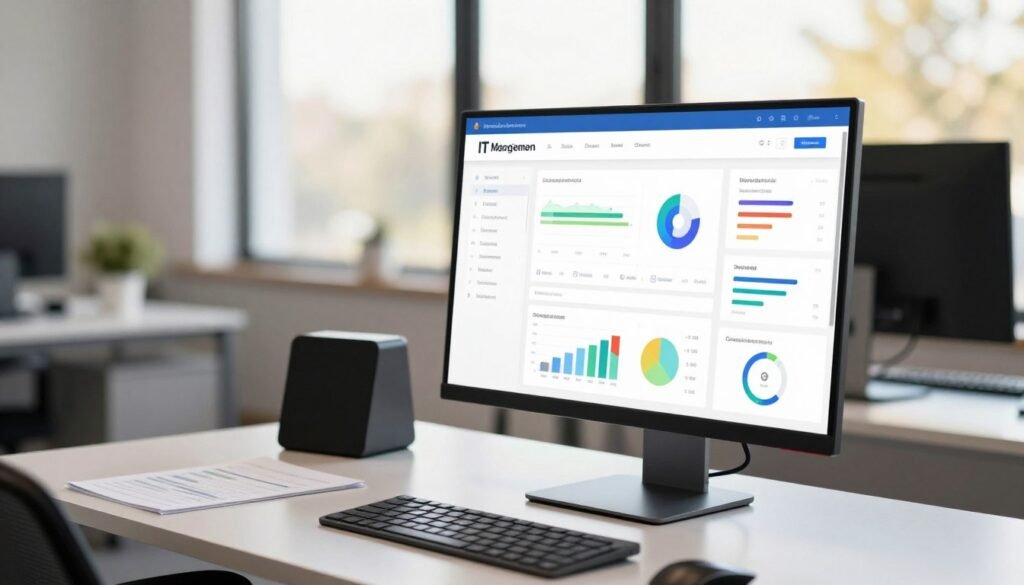
This clean layout avoids the visual clutter common in many enterprise tools. Technicians can find information and execute actions with minimal clicks.
Detailed URL Sharing for Collaboration
A unique and highly practical feature enhances team collaboration significantly. Every view and inventory list within the platform has a detailed, shareable URL.
This means technicians can copy and paste the exact address of any screen. They can share it with colleagues via chat or email effortlessly.
When a team member clicks the link, they see the same filtered inventory list or device details. This eliminates lengthy explanations about where to find specific information.
It’s fantastic for escalating issues or collaborating on complex problems. The feature reduces miscommunication and saves valuable time during troubleshooting sessions.
This thoughtful design detail shows a deep understanding of real-world IT workflows. It transforms individual management into a seamless team experience.
Complimentary Onboarding and Support
The platform offers free, expert-led onboarding for all new customers. This service provides valuable technical advice to ensure a fast and successful deployment.
Dedicated specialists guide teams through initial configuration and best practices. They help tailor the system to specific business needs from day one.
This complimentary onboarding significantly reduces the time-to-value. Some teams report they can manage endpoints within hours of starting.
The positive initial experience builds confidence and accelerates adoption. Good onboarding sets the foundation for long-term management success.
Usability extends to the mobile app, which provides core functions on the go. While it may not have full parity with the desktop console, it maintains key capabilities.
For a tool used daily, a well-designed interface and strong initial support are critical to operational success. They directly contribute to higher productivity and lower frustration for IT teams.
NinjaOne Pricing: Models and Considerations
Before committing to any technology platform, businesses must carefully evaluate both its capabilities and its cost structure. The financial model behind an IT management solution can be just as important as its technical features for long-term success.
This section breaks down the pricing approach for this unified platform. Understanding this structure is crucial for budgeting and determining if the feature set aligns with your organization’s size.
Per-Endpoint Pricing Structure
The platform employs a straightforward per-endpoint pricing model. Your monthly cost is directly tied to the number of devices you manage.
This includes servers, workstations, and mobile endpoints. You only pay for what you actively use and monitor.
Industry estimates suggest a range of $2 to $4 per endpoint per month. The final cost is influenced by volume discounts and required add-ons.
For businesses managing hundreds of devices, this model can be cost-effective. It may be less economical for very small teams with few endpoints.
The per-device cost often justifies itself through labor savings. Improved operational reliability adds to the overall value.
The Need for a Custom Quote
Public pricing is not transparent on the company’s website. Interested organizations must contact the sales team directly.
You will receive a custom quote based on your specific needs and scale. This allows for tailored packages that match your exact requirements.
Negotiation typically works, especially for larger deployments. The sales process considers your total number of endpoints and desired services.
While less convenient for initial research, this approach ensures accuracy. It can be a hurdle for smaller businesses seeking simple, upfront pricing details.
Always request a detailed breakdown of costs. This helps you understand what each line item covers in your final quote.
Free Trial and Value Proposition
The platform offers a full-featured, 14-day free trial. Potential customers can thoroughly test the software in their own environment.
This hands-on trial period is crucial for evaluation. It allows your team to assess the real-world impact before any financial commitment.
The value proposition centers on time saved through automation. Reduced security risk from consistent patching is another key benefit.
The efficiency of a unified platform consolidates multiple tools into one. Consider the included complimentary onboarding as part of the total value.
High-quality support services also factor into the overall package. When evaluating cost, look beyond just the monthly fee to the complete solution.
A detailed report of potential efficiency gains can help justify the investment. The right management platform should pay for itself through operational improvements.
User Reviews and Market Reception
Market reception and user feedback offer the most honest assessment of any IT management solution’s effectiveness. Real-world experience reveals how features perform under pressure.
This platform enjoys exceptionally positive reviews across major software comparison sites. Its reputation among IT professionals is consistently strong.
High Ratings for Features and Support
The software holds a 4.7 out of 5 rating on G2 based on over 1,600 reviews. It consistently ranks as a leader in multiple G2 categories.
These include Endpoint Management, Patch Management, MDM, and RMM. This reflects deep user satisfaction with the core platform.
The customer support team receives widespread acclaim for its responsiveness. It maintains a stellar 98 Customer Satisfaction (CSAT) score.
Average response time sits around 65 minutes for technical inquiries. This reliable service is a major factor in positive user experience.
Praise for Automation and Ease of Use
Reviews frequently highlight the powerful automation capabilities that save significant time. Users appreciate how it simplifies complex management tasks.
The intuitive interface makes remote monitoring straightforward for technicians. Many note the clear visibility provided from a single dashboard.
This centralized view helps teams maintain control over all devices. The comprehensive feature set meets most operational needs.
IT professionals report that the tools integrate well into daily workflows. The overall experience is often described as streamlined and efficient.
Common User Criticisms and Requests
The most frequent criticism points to the non-transparent pricing model. Potential customers must contact sales for a custom quote.
This lack of upfront cost information can be a hurdle for smaller businesses. Some users from small teams find the per-endpoint cost feels high.
Other noted areas for improvement include occasional bugs in ticketing system views. Users desire more advanced reporting flexibility for custom analysis.
There is also feedback requesting an AI copilot feature for smarter automation. The inventory management could offer more granular filtering options.
Despite these points, the consensus remains strongly positive for the right organization. Managed Service Providers and mid-to-large enterprises find outstanding value.
The platform delivers reliable performance that justifies the investment for scaling company operations. User feedback confirms both strengths and minor friction points.
NinjaOne vs. Competitors: Where It Stands
Choosing between IT management tools means weighing integrated automation against simpler, more affordable options. Every business must find the right balance for its size and technical requirements.
This comparison helps clarify where different solutions excel. It shows which organizational profiles they serve best in today’s market.
Strengths Compared to Alternatives
When stacked against tools like AnyDesk or TeamViewer, this platform offers much more than basic remote access. It provides complete endpoint lifecycle management from a unified dashboard.
Its automated patch management system stands out as particularly robust. It handles multiple operating systems and over 200 third-party applications seamlessly.
This comprehensive approach to security updates is often superior to what competitors offer. The service includes complimentary expert onboarding and top-tier technical support.
These differentiators add significant value for teams without deep in-house expertise. The intuitive interface makes complex tasks feel straightforward for technicians.
Considerations for Small vs. Large Teams
The pricing model directly influences suitability for different organization sizes. This solution uses a per-endpoint cost structure.
For enterprises managing 500 to 1,000+ endpoints, the automation delivers maximum return on investment. Large teams benefit from consolidated workflows and reduced manual labor.
Very small businesses with only a handful of devices might find the cost less economical. Simpler alternatives with fixed monthly pricing could be more appropriate for their scale.
AnyDesk offers plans starting around $14.90 monthly for approximately 100 devices. TeamViewer provides a free tier for personal use alongside various commercial plans.
These competitors present more transparent, lower-cost entry points. They might lack the same level of integrated, automated endpoint lifecycle control.
Identifying the Right Fit for Your Needs
The decision often hinges on your need for advanced automation versus upfront cost. Comprehensive patching and integrated IT workflows justify the investment for scaling operations.
Managed Service Providers find the multi-tenant architecture particularly valuable. The client portal enhances professional service delivery, though the email-per-client limitation requires consideration.
Conduct a clear assessment of your team’s size and IT environment complexity. Prioritize which capabilities matter most for your daily operations and security posture.
A hands-on trial period provides the best way to evaluate real-world impact. Test the platform in your own environment before making any commitment.
This comparative analysis positions the solution within the broader market landscape. It clarifies who will benefit most from its specific capabilities and pricing structure.
Conclusion: Final Verdict and Recommendations
Our comprehensive review leads to clear recommendations for different types of organizations. NinjaOne stands out as a top-tier IT management and RMM platform.
We strongly recommend it for MSPs and mid-to-large enterprise IT teams. These organizations typically manage 500+ endpoints.
The platform‘s greatest strengths are powerful automation and robust patch management. It provides unified control from a single dashboard.
Complimentary expert-led onboarding ensures a smooth experience. This helps teams realize value quickly.
The primary drawback is opaque per-endpoint pricing. This requires a sales consultation for a custom quote.
For smaller businesses with few devices, simpler alternatives may offer better value. The solution excels at scale.
Prospective users should use the 14-day free trial. Test the platform in your own environment first.
Our final verdict: NinjaOne delivers excellent security and monitoring capabilities. It is a worthwhile investment for the right organization.
FAQ
What is the main purpose of this IT management platform?
This platform is a unified system designed to help IT teams and managed service providers (MSPs) control all their devices from a single dashboard. It combines remote monitoring, automated patch management, and secure access tools to streamline IT operations and improve security.
How does the automated patching work?
The system automates the entire patching process for operating systems and third-party applications. It scans for missing updates, deploys patches based on your policies, and provides detailed reports on compliance, all with minimal manual intervention to keep your systems secure and up-to-date.
Can I try the software before purchasing?
Yes, the company offers a completely free trial. This allows you to test the full feature set, including endpoint management and automation tools, with your own devices to see if the solution fits your team’s workflow and requirements.
Is remote access included and is it secure?
A> Secure remote access is a core capability. Technicians can connect to any supported device with one click. The tool uses high-level security protocols like TLS 1.3 and offers features like session recording and multi-factor authentication to ensure all connections are protected.
How is the pricing structured for this tool?
Pricing follows a per-endpoint, per-month model. You pay for each device you manage, such as a workstation, server, or mobile device. Because costs scale with your inventory, you need to contact the sales team for a custom quote tailored to your environment.
What kind of support and onboarding can I expect?
Complimentary onboarding is included to help you configure the platform and import your data. Ongoing support is available, with many users praising the responsive customer service team for helping resolve issues and optimize their use of the management features.