Is your website’s security just a technical checkbox, or is it the foundation of your business’s credibility? In today’s digital landscape, visitors judge your site in seconds. A missing security layer can send them away for good.
An SSL certificate is that essential layer. It encrypts data between your server and a client’s browser. This protects sensitive information like passwords and credit card numbers.
More than just encryption, it builds instant trust. Browsers display a padlock and “HTTPS” for sites with a valid certificate. This visual cue tells people their connection is safe.
This comprehensive guide will walk you through buying the right certificate. We cover different types, validation levels, and key features. You’ll learn to match your domain structure and find the best value for your price.
Key Takeaways
- SSL certificates are non-negotiable for modern websites, providing essential security and building visitor trust.
- They encrypt sensitive data, protecting both your business and your customers from interception.
- Different types of certificates (DV, OV, EV) offer varying levels of validation and are suited for different business needs.
- Choosing the right certificate involves considering your domain structure, validation level, and warranty.
- The purchase and installation process can be straightforward with the right guidance and provider support.
- Evaluating providers based on reliability, support, and reputation is crucial for a smooth experience.
- Securing your site is an immediate step to enhance your online business value and professional credibility.
The Non-Negotiable Need for an SSL Certificate
In the current online ecosystem, an SSL certificate has shifted from a recommended best practice to a mandatory standard. Any website that handles login details, contact forms, or payments must have one.
Without this layer of protection, data travels between your visitor’s browser and your web server in plain text. This makes it easy for hackers to intercept passwords, credit card numbers, and personal messages.
Modern browsers actively punish sites that lack this security. Chrome and Firefox show prominent “Not Secure” warnings. These alerts damage your business credibility and scare visitors away.
Search engines also reward secured sites. Google uses HTTPS as a ranking signal. This means a valid SSL certificate can give you a direct SEO advantage over competitors.
For online stores, the need is even more critical. You cannot legally process credit cards without complying with PCI DSS standards. An SSL certificate is a core requirement for this compliance.
The visual trust signals are powerful. The padlock icon and “HTTPS” prefix tell your customer their connection is private. This simple visual builds immediate confidence.
Higher levels of validation go further. Organization Validation (OV) and Extended Validation (EV) certificates confirm your company’s legal identity. This information is displayed in the certificate details.
Common online threats make this protection essential. An SSL certificate is your first defense against data breaches and “man-in-the-middle” attacks. These attacks aim to steal login credentials or inject malicious code.
Ultimately, visitor expectation has changed. People assume their data is safe. If your site looks insecure, they will leave. This directly hurts your conversion rates and long-term brand trust.
Ignoring this fundamental security step creates avoidable issues. It risks data, loses traffic, and undermines your professional reputation. Securing your connection is no longer optional.
Understanding the Types of SSLs: DV, OV, and EV
The type of SSLs you choose directly impacts how browsers and customers perceive your website’s credibility and security. Certificates are categorized by their validation level. This determines how thoroughly a Certificate Authority verifies the requesting entity.
Higher validation means more trust signals for visitors. It also means a more rigorous application process. Selecting the right level balances your security needs with practical considerations.
Domain Validation (DV) SSL: Fast and Affordable
A Domain Validation certificate offers the fastest path to encryption. The CA only confirms you control the domain name. This is typically done via email or a DNS record.
Issuance often happens within minutes. This makes DV certificates ideal for blogs and personal sites. They’re also good for testing environments where encryption is the primary goal.
These certificates provide basic security with a standard warranty. For example, a Basic SSL with domain validation might include a $10,000 warranty. The encryption strength is typically 2048+ Bit RSA.
You won’t see your organization name in the certificate details. The browser shows a standard padlock icon. This level works when you need quick, affordable protection.
Organization Validation (OV) SSL: Building Customer Trust
Organization Validation certificates require more thorough verification. The CA checks your company’s legal existence and operational status. This process usually takes one to three days.
The verified organization name appears within the certificate details. Visitors can click the padlock to see this information. This builds greater confidence for business websites and login portals.
With organization validation, you get a higher warranty amount. A High Assurance SSL might offer $50,000 in financial protection. This reflects the increased verification level.
These certificates are standard for most commercial websites. They show customers you’re a legitimate business. The validation process confirms your physical address and legal identity.
Extended Validation (EV) SSL: The Highest Level of Assurance
Extended Validation represents the gold standard for online trust. The vetting process is the most rigorous available. CAs verify legal, physical, and operational existence thoroughly.
This comprehensive validation can extend issuance time beyond standard periods. The result is maximum user confidence. Many browsers display the company name in green within the address bar.
Financial institutions and e-commerce giants typically use EV certificates. They’re essential for sites handling highly sensitive data. The prominent trust indicators justify the additional verification steps.
The warranty protection matches this premium level. An Enterprise EV SSLs can offer up to $1,750,000 in coverage. This financial protection responds to the highest stakes.
Choosing between these options depends on your specific needs. Consider your required trust level, budget, and timeline. The right validation level protects both your data and your reputation.
Choosing the Right Certificate for Your Domain Structure
Matching your SSLs to your actual domain setup prevents headaches and security gaps. Your website’s architecture determines which certificate type works best. The right choice covers all your web properties without unnecessary complexity.
Certificates are designed for specific domain patterns. A mismatch can leave parts of your site unprotected. This leads to browser warnings that scare visitors away.
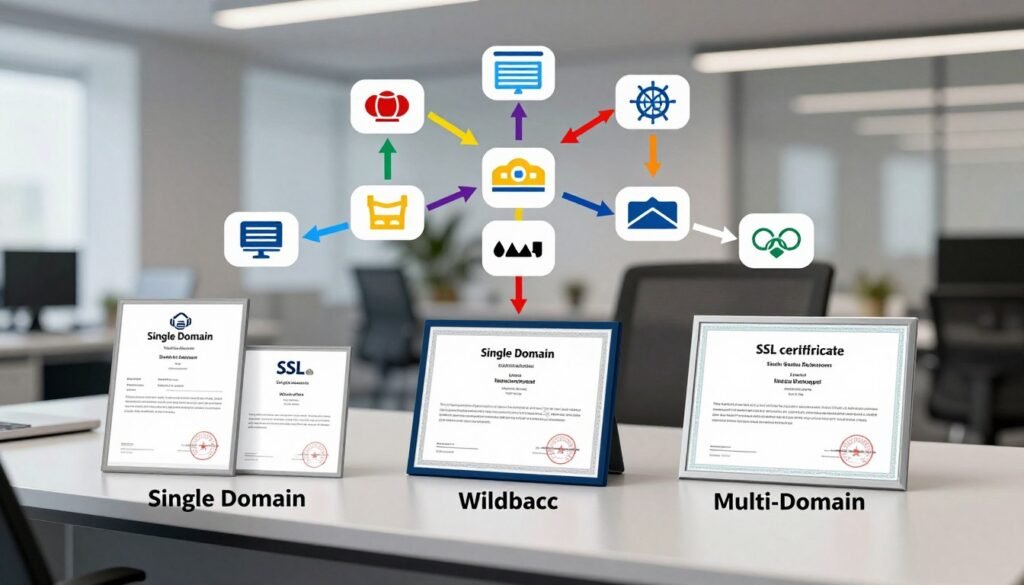
Single Domain SSL: Protecting One Website
A Single Domain certificate secures one fully qualified domain name. This typically includes both the root domain and its www variant. For example, it covers example.com and www.example.com.
This is the most straightforward choice for simple websites. Blogs and small business sites often use this option. It provides solid protection for a single online presence.
The issuance time is usually quick with basic validation. You get one certificate for one primary domain. This keeps management simple for site owners.
Wildcard SSL: Securing Your Main Domain and All Subdomains
A Wildcard certificate uses an asterisk in the domain field. It secures a base domain and unlimited subdomains. The notation *.example.com covers shop.example.com, blog.example.com, and mail.example.com.
This option is cost-effective for growing organizations. You manage and renew just one certificate for all services. It simplifies administration across multiple subdomains.
Businesses with separate sections benefit from this approach. Your development, store, and client portals stay protected. A single certificate handles everything under your main domain.
Multi-Domain (SAN/UCC) SSL: One Certificate for Multiple Websites
A Multi-Domain certificate secures several distinct domain names. Also called a Subject Alternative Name or Unified Communications Certificate. It protects multiple websites with one SSL solution.
The first domain listed is the Common Name. Additional domains are added as SANs. You can often modify these SANs during the certificate’s lifetime.
This type works well for businesses managing several sites. Companies with microsites or regional domains find it efficient. It centralizes security management across different web properties.
Consider both current needs and future growth when choosing. Adding domains to a SAN certificate later is usually simple. This flexibility helps your security scale with your business.
Proper matching prevents security warnings on your server. It reduces administrative work for your team. Your visitors enjoy consistent protection across all your domains.
Key Factors in Your SSL Buying Decision
Several decisive elements separate basic protection from comprehensive security when choosing your website’s SSL certificate. Beyond the initial price, you must evaluate the complete feature set. This assessment determines the true value for your business.
Technical specifications and business protections work together. They create a security solution tailored to your industry needs. Smart buyers compare these factors before making their final choice.
Validation Level and Issuance Time: What to Expect
Your required validation level directly controls how quickly you receive your certificate. Domain Validation offers the fastest turnaround. These certificates often issue within minutes through automated checks.
Organization Validation requires manual review of your business documents. Expect this process to take one to three business days. The Certificate Authority verifies your legal existence during this period.
Extended Validation involves the most thorough examination. Issuance can require several days to a full week. This timeline reflects the comprehensive background checks performed.
Warranty Amount: Understanding Your Financial Protection
The warranty represents a monetary guarantee from the Certificate Authority. It provides financial protection if a CA error causes your loss. This coverage applies when improper issuance leads to damages.
Warranty amounts scale dramatically with validation levels. Basic DV certificates typically offer around $10,000 in protection. Enterprise EV solutions can provide up to $1,750,000 in coverage.
Consider your potential liability when evaluating this factor. Higher warranties reflect increased assurance levels. They signal greater confidence in the validation process performed.
Encryption Strength and Supported Algorithms
Modern certificates feature robust 2048-bit RSA encryption as a standard. This mathematical complexity protects data during transmission. Stronger encryption makes intercepted information virtually impossible to decipher.
Many providers now include Elliptic Curve Cryptography support. ECC offers equivalent security with smaller key sizes. This improves performance while maintaining protection standards.
Supported protocols ensure ongoing compatibility. Look for TLS 1.2 and TLS 1.3 support in your certificate. These modern protocols maintain compliance with current security requirements.
Browser Compatibility and Trust Seals
Browser compatibility refers to root certificate recognition. Certificates from trusted authorities work with over 99% of browsers. This universal acceptance prevents warning messages for your visitors.
Trust seals provide visual confirmation of your security status. These dynamic logos verify your certificate’s validity when clicked. They offer shoppers immediate reassurance during transactions.
Some providers include value-added features with their certificates. Vulnerability assessments and malware scanning add extra security layers. Always compare the complete feature set against the price.
The true value emerges from this comprehensive evaluation. Consider all factors together rather than focusing solely on cost. Your final decision should balance immediate needs with long-term protection requirements.
The Importance of Certificate Lifecycle Management
Your website’s security depends on ongoing maintenance, not just the initial certificate purchase. Effective management ensures continuous protection for your online presence.
Every digital certificate has an expiration date. Industry standards now push for shorter validity periods to enhance security. This creates new challenges for website administrators.
Why Shorter Certificate Lifespans Affect You
The CA/Browser Forum sets standards for public certificates. They recently reduced maximum lifespans to 90 days. Further reductions to 47 days are now proposed and likely.
Shorter validity periods limit the window for misuse. This improves overall web security. However, it dramatically increases administrative work for your team.
Manual tracking becomes impractical with frequent renewals. Organizations managing multiple certificates face constant deadlines. Missing a renewal date causes immediate website outages.
Your visitors see browser warnings when certificates expire. This damages trust and disrupts business services. Automated solutions prevent these costly interruptions.
Tools for Automated Renewal and Management
Certificate Lifecycle Management platforms solve this growing problem. Tools like Sectigo Certificate Manager automate the entire process. They handle discovery, issuance, and installation across your infrastructure.
These platforms provide a centralized dashboard for visibility. You see all certificates and their expiry dates in one place. This includes certificates from different authorities.
Automation protocols like ACME enable fully automated renewals. Compatible web servers can refresh certificates without manual intervention. This prevents security lapses during renewal periods.
Enterprise solutions integrate with IT service management tools. They work with cloud platforms and network devices. This orchestration ensures certificate deployment at scale.
Proactive management prevents security incidents. It maintains compliance with industry standards. Your online services remain available without constant manual oversight.
Investing in management tools is becoming essential for modern organizations. Choose providers with robust automation features. This ensures efficient maintenance of your web security over time.
Beyond Web Security: Email, Code, and Document Signing
While website encryption gets most of the attention, certificates provide essential authentication for email, software, and official documents. These specialized certificates extend digital trust beyond the browser.
They verify identities and ensure integrity across different platforms. This protects against modern threats like phishing and malware distribution.
Secure Email (S/MIME) Certificates
Secure/Multipurpose Internet Mail Extensions certificates protect your business communications. They install directly in your email client like Outlook or Apple Mail.
These certificates digitally sign outgoing messages. This proves the sender’s identity to the recipient.
Signed emails display visual indicators of authenticity. Recipients see that messages haven’t been altered during transit.
This technology directly combats phishing and Business Email Compromise scams. It verifies that an email truly came from the claimed sender.
Encryption is another key feature of S/MIME. It ensures only intended recipients can read sensitive content.
Contracts, financial data, and personal details stay protected. Major platforms like Gmail and Thunderbird support this standard.
Your organization gains immediate credibility with every message sent. Clients recognize the enhanced security measures you’ve implemented.
Code Signing Certificates for Software Trust
Code Signing certificates authenticate software publishers to end-users. Developers use them to sign applications before distribution.
This process covers executables, drivers, scripts, and firmware. The digital signature attaches directly to the code.
Users see that the software originates from a verified publisher. They also know it hasn’t been tampered with since signing.
This prevents malware injection during download or installation. Operating systems rely on these signatures for trust decisions.
Windows uses them to determine warning displays. Properly signed applications avoid scary “Unknown Publisher” alerts.
Extended Validation code signing provides the highest assurance level. These certificates often require hardware token storage.
EV code signing establishes immediate reputation with Microsoft’s SmartScreen Filter. This bypasses initial warning periods for new publishers.
Your company name appears clearly during installation. This builds confidence with every client downloading your products.
Document Signing Certificates for PDFs and Office Files
Document Signing certificates create legally binding digital signatures. They work with PDFs, Microsoft Office files, and other formats.
These signatures guarantee the authenticity of the signer. They also verify the document’s integrity after signing.
This proves that contracts haven’t been modified post-signature. Official records maintain their evidentiary value.
The process is trusted by industry leaders like Adobe. Microsoft Office applications recognize these signatures natively.
Document signing streamlines approval workflows for businesses. It eliminates printing, scanning, and physical delivery steps.
Each signature includes timestamp and validation data. This creates a complete audit trail for compliance purposes.
Your digital certificate becomes your official seal online. It carries the same weight as a handwritten signature.
These specialized certificates complement traditional SSL protection. Together they form a complete digital identity framework for modern business.
The Step-by-Step Process to Buy and Install Your SSL
Let’s walk through the exact process of obtaining and deploying your SSL certificate on your web server. Clear instructions prevent the confusion some users report, where processes seem to “go in circles.”
Following this sequence ensures a smooth transition from order to a fully secured site. Each step builds on the previous one.
Step 1: Generating Your Certificate Signing Request (CSR)
The process starts on your web server. You need to generate a Certificate Signing Request.
This action creates a public-private key pair unique to your site. The CSR contains your official organization name, location, and domain details.
Your web hosting control panel or server software has tools for this. Keep the generated private key secure on your server. You will submit the CSR text block to your provider.
Step 2: Submitting Your Order and Validation Documents
Next, place your order with your chosen Certificate Authority or reseller. You will paste your CSR into their order form.
Payment completes the purchase. Then, submit any required documentation for validation.
For OV and EV certificates, this means proving your business exists. Prepare documents like a business license or articles of incorporation. A phone verification to your listed business address is also common.
Step 3: Completing the Validation Process
The CA now performs checks based on your certificate type. Domain Validation uses email or DNS record confirmation. This can lead to issuance in just minutes.
Organization and Extended Validation require manual review. This time can take several days as they vet your documents thoroughly.
Once the CA approves everything, your certificate issued. You receive it as a text file containing your public key, now signed by the CA.
Step 4: Installing Your Issued Certificate on Your Server
The final step is installation. You must install the received certificate files on your web server.
Link these files to the private key you generated during the CSR step. Methods differ for Apache, Nginx, or Microsoft IIS servers.
Many hosting platforms offer one-click installation for purchased certificates. Provider guides and support are invaluable here.
After installation, force your site to use HTTPS. Update internal links and set up redirects from HTTP. Finally, use an online SSL checker to verify everything works correctly for all your domains.
What to Do If Validation Takes Time
The validation phase is where many SSL certificate orders encounter unexpected hurdles and time-consuming checks. Customers often report feeling like the process “goes in circles,” submitting information only to wait several days and start over.
Understanding the timeline differences is crucial. Domain Validation certificates typically issue within minutes through automated checks.
Organization Validation and Extended Validation involve manual review. This thorough process can take several business days to complete properly.
Delays commonly occur for specific reasons. Submitted documents might be unclear or not match public records exactly.
The verification call to your listed phone number could fail. Certificate Authorities also experience high-volume periods that slow processing.
If your validation seems stalled, take immediate action. First, check the email address used for your order thoroughly.
Look in spam folders for requests from the Certificate Authority. They often need additional information or clarification to proceed.
Proactively ensure all submitted documents are clear and recent. They must list your organization‘s exact legal name and address as registered.
Use your provider’s support channels when questions arise. Many reputable services offer 24/7 live chat for immediate assistance.
This support can provide status updates and clarify requirements. It helps move stalled applications forward efficiently.
Prepare carefully for phone validation calls. Ensure your publicly listed number is answered by someone authorized to confirm details.
That person should know your business registration information. Being prepared prevents failed verification attempts.
Remember that longer validation time for OV/EV certificates is normal. This thoroughness provides the higher trust level your customers expect.
The rigorous process is what makes these certificates valuable. Patience during validation is an investment in your site’s credibility.
If excessive delays occur, escalate politely but firmly. Reference your order number and document submission timeline when contacting support.
Keep detailed records of all communications and submissions. This history helps resolve disputes or switch providers if needed.
Your company benefits from this careful validation process. It establishes your legitimate organization identity to website visitors.
While waiting can be frustrating, the result justifies the time investment. A properly validated certificate builds immediate trust with every visitor.
Evaluating SSL Providers: Support and Reliability
Your choice of SSL provider is as critical as the certificate itself, determining the ease of your entire security journey. The right partner simplifies validation and installation. The wrong one can create frustrating delays and unresolved technical issues.
This evaluation goes beyond comparing prices on a website. You must assess the human and operational backbone of the service. Your provider’s reliability directly impacts your website’s uptime and security posture.
The Value of 24/7 Customer Support
Accessible, knowledgeable support is paramount. Problems rarely happen during standard business hours. A validation email might land in spam at midnight, or a server configuration could fail on a weekend.
Look for providers offering true 24/7 assistance via live chat, phone, and email. This multi-channel support ensures you can get help how you prefer. Real user reviews often praise this, citing “excellent support” and “great communication.”
The quality of support matters as much as its availability. Teams should understand general SSL/TLS concepts, not just their sales catalog. They must guide you through technical glitches, not just read from a script.
This depth of support saves you significant time and stress. It turns a potential “huge hassle and time sink” into a resolved issue. Your provider becomes a true partner in your site’s security.
Checking Provider Reputation and Reviews
Independent reviews reveal a provider’s true colors. Investigate their reputation on sites like Trustpilot, G2, or the Better Business Bureau. Look for patterns in feedback, not just isolated comments.
Pay close attention to reviews mentioning validation delays, refund policies, and instruction clarity. Do people report smooth issuance? Are problems resolved quickly? This research protects your business.
Consider the provider’s market position and longevity. Established Certificate Authorities have extensive root trust and experience. They often work through authorized resellers who offer competitive pricing and bundled services.
Always verify a reseller is officially partnered with a major CA. This guarantees your certificate’s validity and backend support. A reputable company is transparent about this relationship.
Evaluate the additional resources a provider offers. A comprehensive knowledge base and platform-specific installation guides are invaluable. SSL management tools for tracking renewals add tremendous value for customers.
Transparency in pricing is a key trust signal. A reliable provider clearly states all costs, including renewal rates, before purchase. There should be no hidden fees that surprise you later.
The ideal company balances competitive pricing with robust support. They provide clear communication and a user-friendly platform. This holistic approach manages your SSL certificate effectively over its entire lifecycle.
Taking this investigative step ensures you buy from a partner, not just a seller. It safeguards your investment and your website’s security for the long term.
Compare Your SSL Options: Features and Value
Before purchasing, a clear comparison of SSL tiers reveals which option offers the best return on your security investment.
Smart buyers evaluate certificates across three main categories. Each tier serves different website purposes and audience expectations.
Your decision should balance price with the value of enhanced trust and protection.
Entry-Level Protection: Basic and DV SSLs
Domain Validation certificates provide essential encryption at the lowest cost. A Basic SSL starts around $36.75 per year.
These SSLs validate only domain control. Issuance often completes in minutes through automated checks.
They include standard warranties of about $10,000. This tier suits personal blogs, portfolios, and testing environments.
You get strong security without organizational identity display. The padlock icon appears, but your company name doesn’t show in details.
For simple sites needing quick HTTPS, DV is the practical choice. It meets basic SSL/TLS requirements efficiently.
Business-Grade Security: OV and Premium SSLs
Organization Validation certificates verify your legal business identity. Prices range from $48.40 to over $200 annually.
A High Assurance OV certificate costs about $48.40 per year. It confirms your company’s existence to visitors.
Your verified name appears when users click the padlock. This builds visible trust for commercial websites and login portals.
Premium options like UCC/SAN SSL certificates cover multiple domains for $141.60 yearly. OV Wildcard certificates secure unlimited subdomains at $224.25 per year.
Warranties increase to $50,000-$250,000 with this validation level. These are standard for most business websites across the industry.
Enterprise and E-Commerce Solutions: EV and Wildcard SSLs
Extended Validation represents the premium tier for maximum assurance. Enterprise EV SSL starts at $239.50 per year.
This rigorous validation process triggers the green address bar in browsers. Financial services and major online stores use EV certificates.
Warranties reach up to $1.75 million, reflecting the highest protection level. The issuance timeline is longer due to thorough vetting.
EV Multi-Domain certificates cost about $319.20 yearly. They combine rigorous validation with coverage for distinct web properties.
Wildcard certificates are essential for enterprise subdomain structures. They simplify management for large organizations.
Consider total cost of ownership beyond the initial price. Automated management tools reduce labor costs for renewals.
An EV certificate may be essential for e-commerce to maximize conversions. A DV often suffices for informational content.
Align your choice with your actual business needs and growth plans. The right SSL/TLS solution protects your server and reputation.
Making Your Purchase: Tips for a Smooth Transaction
###
The current_s- –
4-
Conclusion: Take the Next Step to Secure Your Site
Your journey toward complete website security culminates in a simple, decisive action. Obtaining the right SSL certificate protects your visitors and builds essential trust.
Use this guide to assess your needs and match them with the proper validation level. Consider your domain structure and the ongoing management required.
The investment in website security is small compared to the risks it prevents. Data breaches and lost customer confidence cost far more than any certificate.
Don’t let complexity delay your decision. Start with a basic option if needed, then upgrade as your business grows. Take action today to secure your site properly.
What is the main difference between a Domain Validation and an Organization Validation certificate?
A Domain Validation (DV) certificate only proves you control the domain. Issuance is often automated and quick. An Organization Validation (OV) certificate does more. It validates your company’s legal existence. This process adds time but shows customers a verified business entity, building more trust.
How long does it typically take to get an SSL/TLS certificate issued?
Issuance time depends on the validation type. A basic DV certificate can be active in minutes. An OV certificate usually takes 1-3 business days. Extended Validation (EV) takes the longest, often 5-7 business days. This is because the Certificate Authority performs rigorous checks on your organization.
Why would my business need an Extended Validation SSL?
You need an EV certificate for the highest level of user assurance. It triggers the green address bar in older browsers and displays your company name prominently. This is crucial for e-commerce, banking, or any site handling sensitive data. It maximizes customer confidence at the point of purchase.
Can one SSL certificate secure multiple domains or subdomains?
Yes, but you need the right type. A standard single-domain certificate protects one fully qualified domain name. A Wildcard SSL secures a main domain and an unlimited number of its subdomains. A Multi-Domain (SAN) certificate can protect many different domain names under one certificate.
What does the warranty on an SSL certificate mean for me?
The warranty is a financial guarantee from the Certificate Authority. If a flaw in their verification process causes a loss, they may cover damages. Higher validation levels, like OV and EV, come with larger warranty amounts. This offers extra peace of mind for your enterprise and customers.
What is a Code Signing certificate, and who needs it?
A Code Signing certificate is for software developers and companies. It digitally signs applications, drivers, or scripts. This proves the code comes from a trusted source and hasn’t been altered. It prevents scary “unknown publisher” warnings for your users, which is vital for software distribution.
Is customer support important when I buy an SSL certificate?
Absolutely. Reliable 24/7 support is critical. Installation or validation issues can arise at any time. A provider with expert help ensures your site’s security isn’t delayed. Always check reviews for feedback on a provider’s support quality before you buy.
Should I buy my certificate directly from a CA or from a reseller?
Both are valid options. Buying directly from a Certificate Authority like DigiCert or Sectigo offers a straight line to the source. Authorized resellers often provide competitive pricing and bundled services. The key is to ensure the seller is authorized and offers genuine certificates with full support.