
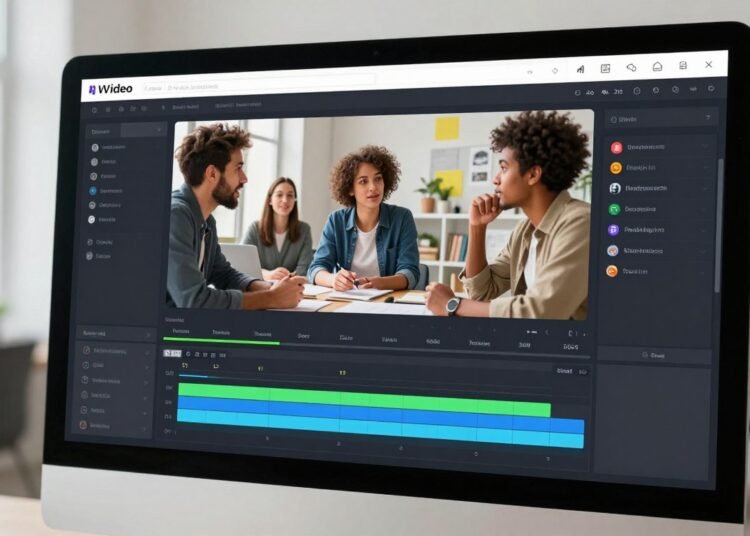
What if you could skip the complex editing software and create professional videos from a simple text prompt? This comprehensive review examines InVideo that promises exactly that.
Video creation has become essential for marketing and communication. Yet the process often demands significant time and technical skill.
InVideo leverages artificial intelligence to transform how videos are made. It aims to serve businesses, marketers, and individual content creators.
The core promise is powerful. You provide a script or basic idea. The AI then assembles a complete draft video for you.
We will analyze the key tools and features that enable this workflow. This includes text-to-video generation and an extensive template library.
Our review will also tackle the user experience. We’ll explore the balance between speed of creation and the level of creative control you maintain.
Key Takeaways
- InVideo uses AI to convert text prompts into draft videos quickly.
- It offers a vast library of templates and stock media to jumpstart any video project.
- InVideo is designed to save time for marketers and social media content creators.
- Users should understand the trade-off between automation and hands-on editing control.
- Pricing revolves around a credit system and subscription plans.
- AI-generated results can vary, requiring user review and adjustments.
- InVideo represents a shift from traditional template-based systems to AI-driven video production.
Introduction: The Promise of AI-Powered Video
The pressure to create constant video content has never been greater for today’s marketers. Social media algorithms and audience expectations demand a steady stream of engaging visual material.
This creates immense strain on teams and individual creators. They must produce quality videos quickly, often without dedicated editing skills or large budgets.
A new category of platforms has emerged to address this challenge. They promise to democratize video creation by using artificial intelligence to handle complex tasks.
These tools aim to transform scripts, ideas, or even blog posts into complete video drafts. The goal is to make professional video production accessible to everyone.
This review examines one such platform that centers on this AI-driven approach. It evaluates whether the tool delivers on its core value proposition of being a true time-saving solution.
The modern content landscape requires efficient workflows. Teams need to focus on strategy and branding rather than getting bogged down in manual editing.
InVideo specifically targets users who lack advanced video editing skills. Yet they still need to create professional-looking content for ads, social media, and marketing campaigns.
The appeal is direct. It promises to turn a simple text prompt into a complete video draft. This speaks to the growing desire for efficiency and scalability in content marketing.
However, a central tension exists in this automated approach. There is a balance between automated speed and the need for customization, control, and brand consistency.
Real user experiences reveal a divided opinion. Some praise the revolutionary speed and simplicity. Others criticize aspects like costs, limitations, and output quality.
This introduction frames our deep dive into the platform’s features. We will examine if it truly simplifies the video creation process or adds new layers of complexity.
The promise is compelling: save time, reduce technical barriers, and scale your video output. The reality requires careful evaluation of both capabilities and constraints.
What is InVideo?
Essentially, this tool functions as a dual-system video editor catering to both manual and automated workflows. It is a cloud-based platform designed specifically for users without advanced technical skills.
The goal is straightforward. It aims to remove barriers for marketers and content creators who need professional videos quickly.
At its heart are two parallel creation systems. The first is a traditional, template-based drag-and-drop editor. The second is an AI-powered text-to-video generator.
This dual approach provides flexibility. Users can choose the method that best fits their specific video project needs and timeline.
The template library contains thousands of pre-designed formats. These cover common use cases like social media ads, YouTube intros, and business presentations.
Each template serves as a starting point. Users can then customize every element to match their brand identity and message.
The AI engine represents the more automated path. You can input a script, article URL, or simple descriptive prompt.
The system then analyzes this text. It automatically assembles a complete video draft by selecting relevant scenes and adding complementary elements.
This includes suggesting background music and generating a synchronized voiceover. The AI handles the initial heavy lifting of scene selection and timing.
For media assets, InVideo offers extensive resources. It integrates with major stock libraries like iStock and Shutterstock on paid plans.
This provides access to millions of professional video clips and images. Users can search this vast collection directly within the editing interface.
Key features extend beyond basic assembly. AI-powered text-to-speech creates natural-sounding voiceovers in multiple languages and accents.
A built-in royalty-free music library offers soundtracks for any mood. Basic editing tools allow for adding text, logos, and transitions.
Collaboration functions enable team members to work together on projects. This supports feedback and approval workflows common in business environments.
The stated mission is to reduce time, cost, and complexity. It targets the production of common marketing and social media video formats.
This places it in direct competition with other AI-assisted video tools. It prioritizes speed and simplicity over frame-by-frame granular control.
Understanding this hybrid nature is crucial. InVideo is part automated AI factory and part simplified manual editor.
This combination determines its suitability for different types of projects. It excels at rapid content creation rather than highly polished cinematic work.
Key Features and Tools at a Glance
A closer examination reveals four main pillars that support the platform’s video-making process. Each component targets a specific bottleneck in traditional workflows.
These features work together to provide a comprehensive solution. They aim to cover everything from initial concept to final review.
Text-to-Video AI Generation
This flagship feature represents the most automated path to creating videos. Users start by typing a text prompt or pasting a full script.
The AI engine analyzes this input to generate a complete draft. It automatically selects visual scenes, adds background music, and creates a synchronized voiceover.
The quality of this generation varies based on prompt clarity. Some results impress with logical scene selection and good pacing.
Other generations may miss the mark visually. This inconsistency is a common point in user feedback about AI tools.
Extensive Template Library
For creators who prefer more hands-on control, thousands of pre-designed templates are available. These are organized by platform and purpose.
You can find formats for Instagram stories, YouTube intros, and TikTok ads. Business presentations and explainer videos also have dedicated categories.
Each template serves as a professional starting point. Users can then customize every element using the drag-and-drop editor.
This approach balances speed with creative control. It’s ideal for maintaining brand consistency across multiple videos.
AI Voiceover and Music Integration
InVideo eliminates the need for recording studios or voice actors. Its text-to-speech engine offers numerous voices across languages and accents.
You can adjust speech speed, tone, and emphasis points. This creates natural-sounding narration for any script.
A built-in library provides royalty-free music tracks. The system can automatically match music to your video’s mood.
Manual selection is also simple. This integration handles audio production seamlessly within the editing workflow.
Stock Media and Collaboration Tools
Paid subscription plans include access to millions of stock assets. Partnerships with major libraries like iStock provide professional videos and images.
Search functions help users find relevant media quickly. This solves the problem of sourcing visual content for projects.
Team features enable multiple users to work on projects simultaneously. Colleagues can leave comments and approve versions directly in InVideo.
These collaboration tools streamline the review process for business teams. They support the feedback cycles common in marketing environments.
Access to premium features typically requires a paid plan. The credit system governs how many AI generations you can perform.
Understanding this structure helps users evaluate the product’s value. It shows what’s possible within different subscription tiers.
InVideo AI v3.0: A Leap Forward or a Side Step?
A significant platform upgrade often forces users to ask if it’s a game-changer or just a new coat of paint. The release of version 3.0 represents such a pivotal moment for this AI video tool.
This update isn’t about minor tweaks. It aims to transform the fundamental video creation workflow from the ground up.
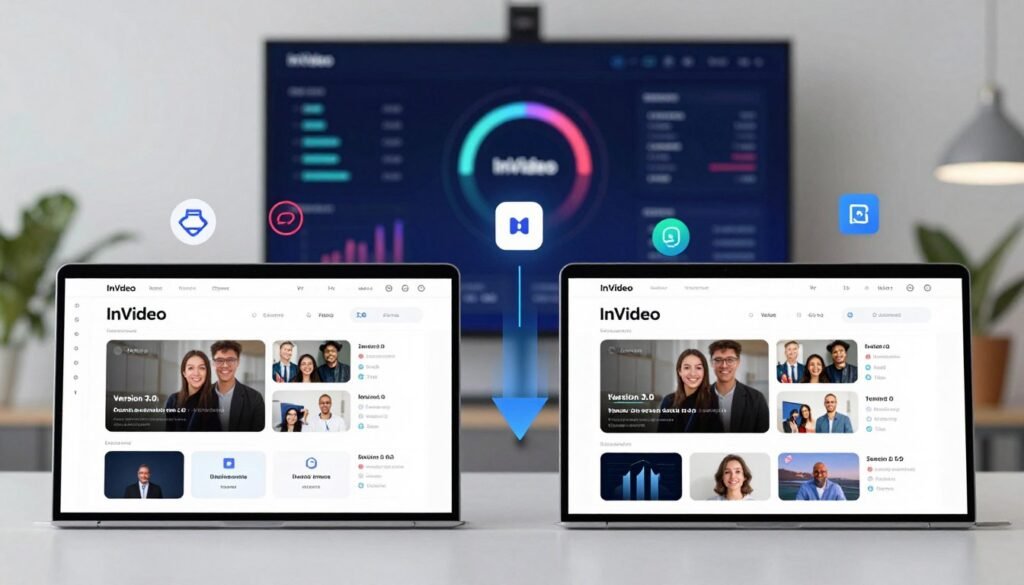
The Old Way: Template-Based Assembly
Before v3.0, InVideo operated as a smart template editor. A user would input a script, and the AI would match it to a pre-designed format.
It then populated that template with relevant stock footage and images. This process saved some initial setup time.
However, it still demanded considerable manual effort. Creators frequently had to swap out irrelevant clips and adjust scene timing.
Fine-tuning the audio and pacing was almost always necessary. The final output often had a generic, “template-y” feel that lacked a unique brand identity.
This older system was effective for assembly but not for intelligent generation. The user experience involved more manual editing than many expected.
The New AI Promise: From Prompt to Full Draft
The v3.0 update promises a paradigm shift in approach. Instead of assembling from parts, the AI now attempts to understand your prompt holistically.
The goal is to generate a cohesive first-draft video from a single text input. This represents a move from simple matching to actual comprehension.
A key advancement is the potential for custom, AI-generated visuals. This moves beyond reliance solely on existing stock media libraries.
The system also makes intelligent editing suggestions at the scene level. It is explicitly built for high-speed, low-effort creation and scaling content volume.
This makes it ideal for rapidly iterating on short-form social media content. The promise is a much faster starting point for any video project.
Data from user tests shows the speed improvement is real. You can get a draft in moments that would have taken much longer in the old editor.
Yet, the promise of a “full draft” often falls short. Many users find they must still switch to the manual editor for substantial revisions and polish.
For professionals, the update might feel like a side step. If the core issue—a lack of nuanced control for brand-specific tailoring—remains, a faster start may not solve the fundamental problem.
The real quality test is whether v3.0 delivers smarter, more usable first results. Or if it just automates the initial assembly while leaving the hard work of refinement to the human editor.
How Does InVideo’s AI Video Creation Actually Work?
The magic of automated video production begins with a simple but critical step: the text prompt. This platform’s entire generation process hinges on the quality of user input.
A vague request leads to generic, often unusable results. Specific instructions yield videos that better match your vision.
Crafting the Perfect Prompt
Effective prompts act as detailed blueprints for the AI. They must include several key elements for best results.
First, specify the target platform and format. A TikTok ad requires different pacing than a YouTube tutorial.
Next, define your audience clearly. The system tailors tone and style based on this information.
Include desired length and visual direction. Mention if you need specific stock media types or color schemes.
For example, “Create a 30-second TikTok-style video for startup founders” provides solid foundation. Adding “use upbeat music and tech-related footage” improves it further.
InVideo may offer guidance, but the responsibility lies with users. Descriptive prompts unlock the tool’s full potential.
The Two Paths of Editing: Quick Tweaks vs. Manual Overhaul
Once the AI generates a draft, users face a fundamental choice. This decision shapes the entire editing experience.
The first path involves quick adjustments. You can edit the original prompt and regenerate the video.
Alternatively, adjust post-production settings directly. Change the music, voiceover, or caption styles with a few clicks.
This approach offers speed but limited control. It works well for minor refinements to an otherwise acceptable draft.
The second path requires switching to the manual editor. Here, you gain granular control over every element.
Swap out individual clips that don’t fit your brand. Rewrite the script line by line for better messaging.
Adjust scene structure and pacing manually. This method provides maximum customization for your video.
However, it negates much of the promised time savings. You essentially start editing from scratch within InVideo.
This dichotomy defines the user workflow. Quick tweaks are fast but superficial.
The manual overhaul delivers quality but consumes time. Your choice depends on project requirements and deadlines.
A critical detail involves the credit system. Both regeneration and manual clip replacement consume credits.
Users can burn through their monthly allowance perfecting one video. This affects the overall value of the subscription plan.
The workflow suggests this AI tool excels at creating rapid first drafts. These drafts serve as starting points rather than finished products.
For certain purposes, a “good enough” video may work immediately. Most professional uses require additional human refinement.
Understanding this process helps set realistic expectations. InVideo can save time on initial creation.
Final polish often demands traditional editing skills. This balance determines whether the tool fits your specific needs.
The User Experience: Speed vs. Control
The true test of an AI video platform lies in how it manages the tension between rapid output and creative freedom. This section examines the core trade-off that defines the entire user journey.
For creators focused on volume, the speed advantage is undeniable. What traditionally takes hours in a manual editor can become a draft video in minutes.
This makes the tool perfect for pumping out TikToks, YouTube Shorts, or promotional clips. You can rapidly iterate on different content ideas without heavy time investment.
The system is engineered for high-speed, low-effort video production. It excels at creating first drafts for social media campaigns.
However, this velocity comes with clear compromises on customization. Many users report that the AI frequently selects generic or mismatched stock footage.
This often forces a switch to the manual editor for corrections. InVideo isn’t really built for detailed, hands-on frame-by-frame editing.
The interface itself receives widespread praise for being intuitive. Beginners find the basic tasks approachable, which lowers the barrier to entry.
This positive first impression helps new users start their video project quickly. The learning curve is gentle for core functions.
A critical factor shaping the experience is the credit-based system. Every revision and regeneration consumes from your monthly allowance.
The fear of “burning credits” can discourage creative experimentation. Users might settle for suboptimal AI output to conserve their resources.
This economic pressure directly impacts the creative workflow. It makes the editing process feel restrictive rather than exploratory.
For professional content creators, the lack of fine-grained control presents serious challenges. Brand guidelines and specific aesthetic requirements are often non-negotiable.
The output typically requires substantial manual reworking to meet agency standards. In these cases, the promised time savings can completely evaporate.
You must make sure the final quality aligns with your needs. The results are decent but may not be client-ready for high-stakes projects.
The entire experience depends heavily on user expectations and goals. Different types of creators will have vastly different assessments.
InVideo is optimized for those who value “fast and good enough” over “precise and perfect.” It serves a specific niche in the content creation ecosystem.
Your satisfaction with this tool hinges on accepting this fundamental trade-off. Understanding where it fits in your production workflow is key to a positive experience.
Navigating the Controversies: Pricing, Credits, and Output Quality
The decision to invest in an AI video platform involves weighing its advertised benefits against several well-documented user concerns. Three critical areas consistently spark debate among the creator community.
These issues revolve around cost structure, refund policies, and unpredictable results. Understanding them is essential before any subscription commitment.
Understanding InVideo’s Pricing and Credit System
This platform operates on a subscription model tied to a monthly credit allowance. Each AI-generated video consumes a significant portion of these credits.
One comprehensive test can cost 25 credits. That’s over 60% of a basic plan’s 40-credit monthly allocation.
The effective cost per video becomes high for beginners. They need to experiment with different prompts to learn the system.
Every regeneration or major edit also deducts credits. Users report their allowance depleting faster than expected.
This economic model prioritizes video production volume over refinement. It can discourage creative iteration due to credit conservation concerns.
The “Refund Trap” and Customer Service Divide
A major controversy involves the platform’s refund policy. To properly evaluate the product, you must generate a video.
This action uses credits. The policy often states no refunds after any credit usage, even for defective output.
This creates a frustrating catch-22 for new users. They cannot assess quality without spending resources, yet they cannot get refunds after testing.
Customer service experiences show a stark divide. Many reviews praise exceptional, prompt support from specific agents.
Other users report slow, unhelpful responses and denied refund requests. This inconsistency adds risk to the purchase decision.
AI Output Quality: Hit or Miss?
Quality inconsistency is the most frequent technical complaint. The AI can produce coherent, useful videos with good pacing.
It can also generate nonsensical visuals or awkward voiceovers. One documented example showed an AI character embedded inside a table.
This unpredictability makes the tool unreliable for professional work. Consistency is often required for marketing campaigns and brand channels.
Support responses may cite “AI is still evolving” as a defense. This doesn’t help users who need dependable results for their projects.
The generation process remains a gamble. Some prompts yield excellent drafts, while others require complete manual overhauls.
These controversies represent core risks for potential subscribers. The potential for high cost and unreliable output must be weighed against the platform’s speed benefits.
The Pros: What Users Love About InVideo
Beyond the debates on pricing and AI quality, a clear set of strengths has solidified this platform’s reputation among a loyal user base. These advantages explain why many creators choose it for their daily video creation tasks.
Positive feedback consistently points to three major benefits. They address the core needs of modern content creators.

Remarkable Speed for Content Volume
The most praised aspect is raw speed. This tool transforms a multi-step manual process into a prompt-based one.
It drastically cuts the time from idea to first draft. For social media managers, this speed is transformative.
Producing dozens of clips per week becomes feasible. The ability to save time on initial drafts can justify the cost for high-volume users.
This efficiency reshapes the entire workflow. It allows teams to focus on strategy rather than assembly.
Intuitive and Beginner-Friendly Interface
Both the AI workspace and the traditional editor are designed for clarity. New users often navigate the platform without a tutorial.
This low barrier to entry is a significant achievement. Individuals with no prior editing experience can create a presentable video project quickly.
The interface makes complex features feel approachable. This ease of use reduces frustration and encourages experimentation.
You can make sure your team adopts the tool with minimal training. It simplifies things for everyone involved.
Notable Customer Support Highlights
Many reviews commend the responsive live chat support. Specific agents are frequently named for their helpfulness.
Users report prompt resolutions for billing and technical issues. This effective support is a real strength for a segment of users.
Good experience with customer service builds trust. It turns a potential point of friction into a positive.
Reliable support is crucial when you depend on a tool for daily production. Knowing help is available provides peace of mind.
Other significant pros include the vast templates library. These provide excellent starting points for any video creation goal.
The convenience of integrated stock media and AI voiceovers is a major plus. You handle everything in one platform.
Collaboration features also facilitate team-based projects seamlessly. For the right user, these pros create a powerful package.
It is a tool that is fast, easy to learn, and backed by support. This enables content creators to scale their video output significantly.
The Cons: Common Criticisms and Drawbacks
Critical reviews reveal persistent issues that potential subscribers should carefully consider. These drawbacks often surface when users move beyond simple test projects.
Three areas generate the most consistent negative feedback. They impact the overall value and usability of the platform.
The High Cost and Confusing Credit Burn
The subscription model ties directly to a monthly credit allowance. Each AI video generation consumes a significant portion of these credits.
Users report credits disappearing rapidly during corrections. Every regeneration or major edit deducts from your balance.
This creates a constant feeling of rationing resources. The effective cost per finished video becomes surprisingly high.
Many feel the credit system encourages spending more. Unexpected charges lead to complaints about the pricing plan.
Misleading AI Promises on Custom Media
A major criticism involves custom footage integration. The AI typically defaults to generic stock footage from its library.
It often ignores user-uploaded branding and custom media. This forces manual replacement of every single clip.
The process feels like a manual video editor with extra steps. This contradicts promises of intelligent generation.
Your brand assets may not be used automatically. This adds significant editing time to each project.
Limited Polish for Professional Needs
Output often lacks the polish required for corporate marketing. Videos can have a generic “template” appearance.
They frequently miss unique brand identity and nuanced storytelling. Technical flaws like glitchy visuals sometimes appear.
The results are generally not client-ready for agencies. High-end campaigns demand more control than this tool provides.
Quality inconsistencies make it unreliable for flagship projects. The platform suits rapid content over precision work.
Additional drawbacks include longer than advertised generation times. Complex videos may exceed promised processing durations.
The product lacks deep integration with enterprise systems. Brand guidelines and asset management are limited.
Customer service experiences remain polarized. Refund requests following credit use are frequently denied.
These factors highlight that this is not a one-size-fits-all solution. It poorly suits users needing tight budget control or brand precision.
Who is InVideo Best For?
The effectiveness of any content platform depends heavily on matching its capabilities with user needs. This AI-powered video creation tool targets specific creator profiles rather than serving everyone equally.
It prioritizes rapid output over meticulous control. The platform excels at producing decent-quality videos quickly for common formats.
Social media managers and content creators form the core audience. These users need to pump out TikTok clips, Instagram Reels, and YouTube Shorts consistently.
The speed advantage transforms their workflow. They can test multiple concepts and iterate rapidly without heavy time investment.
Solo entrepreneurs and small business owners benefit significantly. They often lack video editing expertise and professional budgets.
This tool lets them create marketing videos, product explainers, and promotional ads independently. The learning curve is gentle enough for beginners.
Marketing teams use it for rapid prototyping and concept visualization. They can draft different messaging angles for internal review before committing resources.
This saves time in the early creative phase. Teams focus on strategy rather than manual assembly.
Educators and trainers creating simple explainer content find value here. They convert blog posts or scripts into basic video lessons where information matters most.
The text-to-video feature handles this conversion automatically. Visual polish takes a backseat to clear communication.
However, this platform is not ideal for everyone. Professional video editors and motion graphics agencies should look elsewhere.
They require frame-perfect control and custom animations that automated tools cannot provide. Integration with suites like Adobe Premiere is limited.
Large enterprises with strict brand guidelines may struggle. The AI often defaults to generic stock footage instead of custom brand assets.
Users needing cinematic quality or nuanced storytelling should consider other options. The output works for content volume but not flagship campaigns.
Make sure your video project goals align with what this tool delivers best. It shines for high-speed, template-driven production of social media clips and simple explainers.
For these specific use cases, InVideo offers genuine efficiency. The trade-off between speed and polish makes sense for the right user.
InVideo Alternatives to Consider
The landscape of AI-powered video tools is diverse, with several compelling alternatives available. Your choice depends on whether you need a full assembled video, unique raw footage, or a powerful free editor.
Each option serves a different primary need in the video creation workflow. Comparing them helps you find the right tool for your specific video project.
Pictory
Pictory is a direct competitor in the AI video production space. It focuses on turning articles, scripts, and blog posts into shareable videos.
Users often compare it to the main platform reviewed here. Some report a more straightforward user experience.
A key differentiator noted by some is customer service. There are reports of Pictory offering refunds for defective output where others did not.
It is a strong alternative for similar use cases. If your goal is to quickly convert text into a finished video with a voiceover, it’s worth a look.
Runway ML or Kling AI
Runway ML and Kling AI represent a different category of tools. They are generative AI models for creating video clips.
They excel at producing short, high-quality AI-generated footage from text prompts. However, they do not assemble full videos with music and narration.
These tools are for creators who want custom, unique stock footage. You would edit this raw media in another platform like a traditional editor.
The visual quality can be superior to standard stock library clips. This approach offers more creative control for a potentially lower subscription cost.
Canva and CapCut
Canva and CapCut are excellent options for users who prioritize control and cost. They are often recommended in critical reviews of other tools.
Canva offers simple drag-and-drop editing with thousands of templates. Its basic plan is free, making it great for beginners and marketing teams.
CapCut is a powerful, free desktop and mobile video editor. It requires more manual work but provides far greater creative freedom.
Both require more hands-on editing than AI-assembly platforms. They are ideal if you want to save time on creation but still direct every detail.
The right alternative depends on your primary need. Choose Pictory for a full AI-assembled video. Pick Runway for high-quality AI footage.
Select Canva or CapCut for a free, powerful manual editor. This comparison should help you make sure your final choice aligns with your content goals.
Conclusion: Is InVideo the Right Tool for You?
Selecting any video production platform involves weighing trade-offs between automation and creative control. This tool delivers impressive speed for high-volume content creation.
It excels when your priority is pumping out social media ads and short videos quickly. The platform saves time on initial drafts and basic editing tasks.
However, it struggles with projects requiring strict brand guidelines or polished storytelling. The credit system and subscription plan may not suit budget-conscious teams.
Before choosing any plan, make sure your video project goals align with what this product offers. Test the platform thoroughly to understand its generation results and workflow.
For rapid content creation where speed beats precision, this tool works well. For complex marketing videos needing custom footage and voiceover control, consider alternatives.
FAQ
How much does this platform cost?
The service uses a credit-based subscription system. The Business plan starts at per month, offering 60 video generation credits. Higher tiers provide more credits and features. Credits are consumed based on video length and the use of premium AI features.
Can I use my own images and video clips?
Yes, you can upload your own media files. The platform also includes a large library of stock footage and images. However, its AI generation tool primarily creates videos from its internal media assets, not from your personal uploads.
Is it suitable for complete beginners?
A> Absolutely. The interface is designed to be intuitive and user-friendly. With its drag-and-drop editor and pre-built templates, you can create a marketing video or social media clip without any prior editing experience.
What is the main advantage of using this tool?
A> The biggest benefit is speed. The AI-powered text-to-video feature can produce a complete draft in minutes. This is ideal for content creators and marketers who need to produce a high volume of videos quickly.
Are there any significant drawbacks?
A> Some users note the credit system can be confusing and expensive for long-form content. The AI-generated results sometimes require significant manual editing for a polished, professional look. Output quality can be inconsistent.
Who is this product best for?
A> It’s an excellent fit for social media managers, small business owners, and solo entrepreneurs. It’s also great for marketers needing fast video ads and educators creating simple explainer content. It’s less ideal for complex professional film production.
How does it compare to Canva or CapCut?
A> This platform is more AI-centric, focusing on generating videos from a text prompt. Canva is a broader design tool with strong templating, while CapCut excels at manual, precision editing. The choice depends on whether you prioritize AI generation or hands-on control.