What if you could have enterprise-grade hosting performance without being locked into a rigid, one-size-fits-all plan? Cloudways reimagines managed hosting by putting customization and control back in your hands.
Unlike traditional WordPress hosts that create walled gardens, this service offers a modular approach. You select the exact environment and features your project needs. This flexibility extends beyond just WordPress to include Drupal, Joomla, and other popular frameworks.
The core value is powerful. You get optimized server environments, complete security packages, and specialized dashboards. All this comes with seamless WordPress management tools built right in.
Cloudways is ideal for users who demand flexibility, control, and top-tier performance. The pay-as-you-go pricing model is a game-changer. It breaks free from the fixed-price plans of most competitors.
This review will help you decide if this hosting service fits your specific needs. We’ll examine its features, performance metrics, pricing structure, and support quality. Let’s determine if it’s the right choice for your website.
Key Takeaways
- Cloudways provides a unique, modular approach to managed cloud hosting.
- It offers greater flexibility than traditional managed WordPress hosting services.
- The service supports multiple CMS platforms, not just WordPress.
- Core benefits include optimized server environments and complete security.
- The pay-as-you-go pricing model offers cost control and scalability.
- Users maintain more control over their hosting environment configuration.
- It’s designed for those seeking performance without restrictive plans.
Introduction: What is Cloudways Managed Hosting?
Imagine a hosting service that removes the complexity of server management while giving you unprecedented configuration freedom. This is the essence of a managed solution. It provides an extended team of experts.
They handle critical backend issues. This includes security patches, server updates, and performance tuning. Your result is a hassle-free experience where you focus on content and growth.
Beyond Traditional Managed WordPress Hosting
Most managed services focus solely on WordPress. Cloudways breaks that mold. It supports Drupal, Joomla, and other popular applications right out of the box.
You get the same robust management for any CMS you choose. This is a significant advantage for agencies or developers working with diverse client needs. Your toolkit isn’t limited.
Cloudways does not impose plugin or theme restrictions. Other hosts often use blacklists that can break your site’s functionality. Here, you own your website completely.
The service provides the building assistance and optimized environment. You retain full creative and technical control. This philosophy empowers users rather than boxing them in.
The Modular, Pay-As-You-Go Approach
Traditional hosts sell fixed plans. You might pay around $50 monthly for 1-3 websites. This model locks you into a specific resource tier.
This service uses a modular framework. You select the exact features and server specs your project requires. There is no one-size-fits-all bundle.
You pay only for the resources you actually consume. This is a true pay-as-you-go model. It charges by the hour, not by a rigid monthly plan.
This translates to direct cost control and efficient scaling. Need more power for a traffic spike? Scale up instantly. Need to reduce resources later? Scale down just as easily.
Starting price points are clear. You can launch on a Digital Ocean server for about $10 per month. For better performance, a $22 per month plan is often the recommended starting point.
There is also no artificial limit on the number of sites per server. This flexibility mirrors the freedom of shared hosting but with the power and isolation of a cloud server.
What Makes Cloudways Managed Hosting Different?
Where most managed hosts build walls around what you can do, Cloudways tears them down. It offers a fundamentally different approach to control and flexibility.
The service provides two core advantages that set it apart. You get complete creative freedom with your website software. You also choose the exact cloud infrastructure that powers it.
Freedom from Plugin and Theme Restrictions
Many managed WordPress hosts maintain strict blacklists. They block certain plugins or themes they deem problematic. This can break critical functionality on your site.
Cloudways takes the opposite approach. There is no approval process for what you install. You maintain full ownership of your website’s tools and extensions.
Developers and agencies particularly benefit from this freedom. Client projects often require specific, custom plugins. There’s no risk of those tools being suddenly disabled by the host.
This doesn’t mean you’re unprotected. Cloudways provides enterprise-grade security at the server level. Top-tier firewalls and regular hardening updates run automatically in the background.
Cloudways handles critical security patches and system updates. You focus on building your site with the tools you choose. This balance is unique in the managed hosting space.
Choice of Underlying Cloud Infrastructure
Your server isn’t locked to a single provider. You select from five major cloud infrastructure partners. Options include DigitalOcean, Amazon Web Services (AWS), and Google Cloud.
Vultr and Linode are also available. Each provider offers different performance characteristics and price points.
This choice creates a direct transactional advantage. You match the infrastructure to your project’s needs and budget. A simple blog might run perfectly on a DigitalOcean server.
A high-traffic e-commerce site may need AWS for its advanced features. Cost differences are significant between providers. AWS typically costs more than Digital Ocean for similar resources.
You pay only for what you use with hourly billing. The platform’s management fee is included. This flexibility is a key differentiator from fixed-plan hosts.
Cloudways offers this curated selection while managing all the complex backend work. You get the application freedom you want with the infrastructure choice you need.
A Deep Dive into the Cloudways Dashboard
Access to granular controls begins with the interface you log into. This is not a simple cPanel replacement. It is a technical command center designed for modular platform management.
The basic view after login is a list of your launched servers. Each entry shows its specifications and current status. This is your primary infrastructure view.
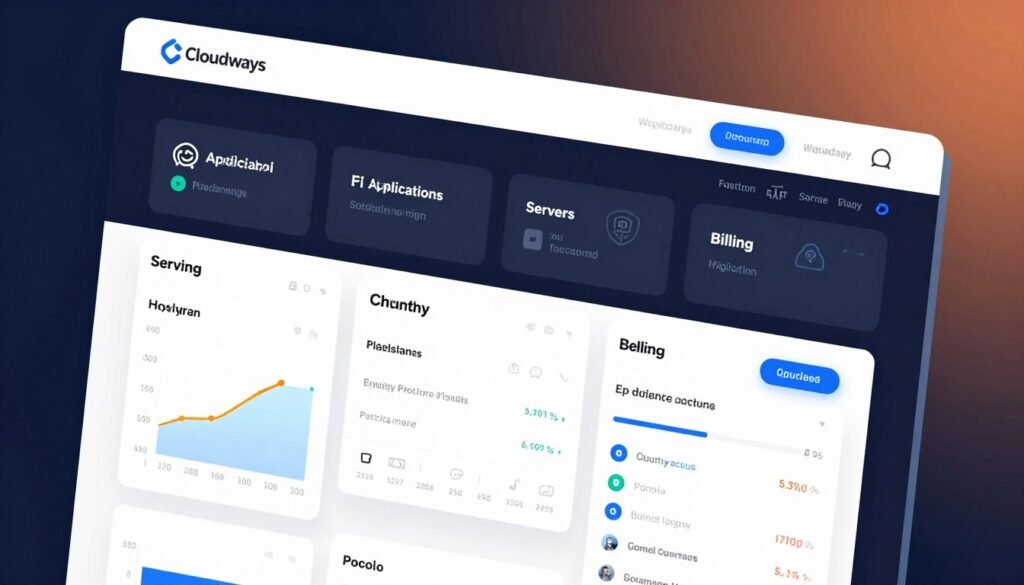
You can toggle to an application management view. This screen lists every installed website across all your servers. It gives you a single pane of glass for all your content.
This unified approach saves significant time. You can sort sites by server or by project tags. This keeps your data organized and your control centralized.
Server vs. Application Management View
These two perspectives are core to the platform’s design. The server view shows your hardware resources. The application view displays your live sites.
This separation is logical. You manage the server and the application separately. This provides clarity for different management tasks.
One screen handles infrastructure. The other handles your published content. This is a powerful feature for agencies.
Navigating Advanced Settings: Git, SSL, and Cron
Each site has its own advanced panel. This is where you configure critical operational features.
Git integration is available for version control. This allows developers to push code directly from their local machines.
SSL certificate management is straightforward. Cloudways integrates with Let’s Encrypt for free, automated certificates. You can install them with one click.
Cron job configuration is also handled here. This automates tasks like database cleanup or scheduled posts.
FTP and MySQL login credentials are also managed here. You get secure access to your site’s backend data.
Important note: There is no built-in file manager. You must use an FTP client for direct file control.
This approach centralizes all management tools. It provides a single login point for all your sites and data.
Unparalleled Control for a Managed Service
Managed services often sacrifice customization for convenience. Cloudways reverses that trade-off completely. You maintain command over critical infrastructure decisions while experts handle complex backend maintenance.
This balance delivers enterprise-grade performance without enterprise-level complexity. You get the technical oversight of a dedicated team. Yet you retain the configuration freedom typically found only in unmanaged solutions.
Selecting Your Data Center and Server Specs
Launching a new server starts with precise configuration choices. You select the exact geographic location for your data center. This choice directly impacts site speed for your target audience.
Next, you choose your infrastructure provider from several top-tier options. Each offers different performance characteristics at various price points. This selection determines your underlying hardware quality.
Server specifications are fully customizable. You adjust RAM, storage capacity, processor cores, and bandwidth independently. There are no pre-packaged plans forcing you into fixed resource tiers.
Cloudways shows real-time cost calculations as you configure. You see the exact hourly price for your selected specifications. This transparency eliminates billing surprises common with traditional hosting.
This granular control extends to every deployment. You might start with a modest DigitalOcean server for a new blog. Later, you could deploy a high-performance AWS instance for an e-commerce site.
Easy Scaling and Provider Migration
Business needs evolve, and your hosting should adapt seamlessly. Vertical scaling lets you upgrade server resources with minimal disruption. You can add more RAM, CPU, or storage as traffic grows.
Cloudways handles resource upgrades with near-zero downtime. Your site remains accessible during the scaling process. This ensures continuous performance during critical growth periods.
Horizontal scaling between providers offers even greater flexibility. You can migrate an entire application from one cloud infrastructure to another. Moving from Vultr to AWS or Google Cloud is straightforward.
Cloudways offers automated application transfers between providers. The service manages the complex data migration process. Your site experiences minimal interruption during the transition.
This provider migration capability creates significant transactional advantages. You can optimize for cost, performance, or geographic reach as needs change. There’s no vendor lock-in limiting your infrastructure choices.
The pay-as-you-go model supports this dynamic approach perfectly. You pay only for the resources you actually use each hour. Scaling up or down adjusts your costs immediately and transparently.
Setting Up a New WordPress Site on Cloudways
For developers and agencies, time spent on repetitive setup tasks represents lost revenue and productivity. Cloudways transforms this critical step into a streamlined, efficient process. You can deploy a fully functional website in minutes rather than hours.
This efficiency comes from thoughtful interface design and automated configuration. The service handles complex backend tasks while giving you control over key decisions. Your focus remains on building pages and creating content.
One-Click Installs for Standard, WooCommerce, and Multisite
Launching a new WordPress application begins with a simple choice. You select from three optimized installation types. Options include standard WordPress, WooCommerce ecommerce, and multisite networks.
The WooCommerce setup is particularly valuable for online stores. Cloudways automatically configures necessary server settings and caching rules. This eliminates hours of manual optimization work.
Multisite network deployment follows the same streamlined process. You establish a central network with satellite sites in minutes. This is ideal for agencies managing multiple client properties.
Each installation type includes pre-configured performance optimizations. The service applies best practices for caching, security, and database management. You receive a production-ready environment immediately.
The Option for a “Clean” WordPress Installation
Sometimes custom projects require a blank canvas. Cloudways offers a “clean” WordPress installation option. This bypasses all default optimizations and configurations.
This feature is essential for developers with specific technical requirements. You might need to implement custom caching solutions or unique server rules. The clean install provides complete freedom.
You still benefit from core platform features like automated backups and security patches. The management layer remains active while the application layer stays untouched. This balance supports advanced development workflows.
Application-specific settings are available during any installation. You can select PHP versions, configure database options, and set file permissions. These choices appear in a straightforward configuration panel.
Staging environments can be created alongside production sites with one click. This allows for safe testing of new themes, plugins, or custom code. You maintain separate development and live instances.
Domain management is integrated into the application dashboard. You connect custom domains through a simple interface. DNS propagation happens quickly with proper configuration.
Cloudways also provides automated SSL certificate installation. Your site secures HTTPS connections immediately after launch. This eliminates another manual configuration task.
For agencies, this rapid deployment system creates significant operational advantages. You can spin up client sites with different requirements on demand. Each project receives appropriate optimizations from day one.
The transactional efficiency is clear for time-sensitive projects. You reduce setup time from hours to minutes. This acceleration directly impacts project timelines and client satisfaction.
Performance and Speed: How Fast is Cloudways?
Real-world speed tests reveal more about hosting quality than any marketing claim ever could. The platform delivers measurable improvements that transform site performance from adequate to exceptional.
Independent testing shows consistent grade improvements. Sites migrated from shared hosting often jump from B- to A ratings on GTmetrix. This happens without changing themes, plugins, or content.
Built-in Advanced Caching (Varnish, Redis, Memcached)
The service includes a sophisticated caching stack optimized for production environments. Multiple layers work together to accelerate content delivery.
Varnish Cache handles HTTP acceleration at the server level. It sits in front of your web server, serving cached pages instantly. This reduces backend processing for returning visitors.
Redis provides object caching for database queries. It stores frequently accessed data in memory. This dramatically cuts down MySQL query times.
Memcached offers additional database caching capabilities. It works alongside Redis for optimal performance. These tools are pre-configured and managed automatically.
Cloudways optimizes these caching layers out-of-the-box. Users don’t need technical expertise to benefit from enterprise-grade acceleration. The system handles configuration based on your application type.

The Breeze Cache Plugin and CDN Integration
WordPress applications receive additional optimization through the Breeze plugin. This tool is specifically designed for this hosting environment.
Breeze manages browser caching, GZIP compression, and database cleanup. It provides a simple interface for fine-tuning performance settings. The plugin comes pre-installed on all WordPress deployments.
CDN integration happens through a dedicated dashboard tab. Configuration takes minutes rather than hours. You activate content delivery network services with a few clicks.
The platform’s CDN offers global edge servers for faster asset delivery. Static files like images, CSS, and JavaScript load from locations nearest to visitors. This reduces latency and improves page load times worldwide.
You manage CDN settings directly within your hosting dashboard. There’s no need to navigate external interfaces or manage separate accounts. This unified approach saves time and reduces complexity.
Real-World Performance Benchmarks and Results
Migration from shared hosting demonstrates tangible speed improvements. Sites typically experience 50-70% faster loading after moving to Cloudways.
HTTP/2 and HTTP/3 protocol support enables modern web performance features. These include multiplexing, header compression, and server push capabilities. Pages load more efficiently with fewer network requests.
PHP 8.0+ optimization delivers significant speed gains over older versions. Cloudways runs the latest PHP releases with all performance enhancements. Code executes faster, reducing server response times.
SSD-based storage ensures rapid data access for all hosted files. Traditional hard drives create bottlenecks during peak traffic periods. Solid-state drives maintain consistent performance under load.
Faster loading times create direct transactional value for website owners. Search engines prioritize speed in ranking algorithms. Users convert more frequently on responsive sites.
Performance becomes a competitive advantage rather than a technical constraint. The hosting infrastructure supports growth without compromising user experience. Every second saved in page load times translates to better engagement and revenue.
Core Features and Security Overview
Security should be a foundational layer, not an optional extra, in any hosting environment. Cloudways integrates enterprise-grade protection directly into its architecture. This creates a secure foundation for all your web projects.
These security features work alongside performance optimizations. They ensure your sites remain fast and protected. This combination delivers reliable service for business-critical applications.
Auto-Healing Servers and Regular Security Patching
The platform employs intelligent auto-healing technology. This system automatically monitors critical server services. If a service fails, it restarts without manual intervention.
This automation prevents minor issues from becoming major outages. Your websites maintain consistent uptime. The management layer handles these technical details behind the scenes.
Regular security patching occurs automatically on all servers. The system applies updates to operating system components. This protects against newly discovered vulnerabilities.
These updates happen during maintenance windows. Your sites experience minimal disruption. This proactive approach keeps your infrastructure secure.
Free SSL Certificates and Dedicated Firewalls
Every website needs SSL encryption for secure data transmission. The platform provides free Let’s Encrypt certificates. Installation requires just one click from your dashboard.
Certificates renew automatically before expiration. You never face security warnings from outdated SSL. This simplifies a critical security component.
Dedicated firewalls operate at the operating system level. They filter malicious traffic before it reaches your applications. These firewalls block common attack vectors automatically.
IP whitelisting adds another security layer. You control which IP addresses can access SSH and SFTP services. This prevents unauthorized server access attempts.
Add-ons: Cloudflare Enterprise, SafeUpdates, and Malware Protection
Additional security tools are available as premium add-ons. These extend protection beyond the core features. They address specific security challenges.
The Cloudflare Enterprise add-on provides advanced DDoS protection. It mitigates attacks in under three seconds. This ensures your sites remain accessible during traffic floods.
A web application firewall analyzes threats across millions of sites. It blocks malicious requests before they reach your applications. This WAF offers enterprise-grade security without complex configuration.
SafeUpdates automates WordPress core and plugin updates. It tests updates in a staging environment first. Only safe updates deploy to your production site.
This prevents update-related conflicts from breaking your website. The add-on handles the entire update management process. You maintain current software without risking stability.
Malware protection comes through partnerships with Imunify360 and Malcare. These tools scan for malicious code and vulnerabilities. They provide real-time threat detection and removal.
Ecommerce sites gain significant transactional benefits from this security stack. Customer data remains protected during transactions. This builds trust and supports compliance requirements.
Business websites operate with confidence behind multiple security layers. The platform combines automated protection with optional advanced tools. This creates a comprehensive security environment.
The Cloudways Pricing Model Explained
The pricing structure of a hosting service reveals its fundamental business philosophy and customer approach. This platform adopts a transparent, consumption-based model that differs from traditional fixed plans.
You pay only for the resources your projects actually use. This creates a direct link between your costs and your website’s performance needs.
Pay-As-You-Go by the Hour
The hourly billing system represents a significant shift from monthly contracts. You’re charged for actual server usage rather than pre-allocated capacity.
This model eliminates wasted spending on unused resources. Your costs scale precisely with your traffic and application demands.
Traditional managed hosts often charge around $50 monthly for limited site capacity. This service removes those artificial constraints completely.
You can test the platform with a three-day free trial. No credit card is required for initial evaluation.
Comparing Costs Across DigitalOcean, AWS, and Google Cloud
Infrastructure choice directly impacts your monthly hosting expenses. Each provider offers different performance at various price points.
Digital Ocean servers provide the best value for most users. They deliver solid performance at accessible price levels.
AWS and Google Cloud represent premium options with advanced features. These services command higher rates for enterprise-grade infrastructure.
The exact cost depends on your selected RAM, storage, and processor specifications. You configure these elements independently when launching a server.
For example, an AWS instance with 32 GB RAM might cost $160 directly. The same resource level through this managed service could exceed $450 monthly.
This difference reflects the management layer added to raw cloud infrastructure. You’re comparing unmanaged versus fully managed solutions.
Understanding the Markup for Management Services
The price premium covers comprehensive management and support services. These transform complex cloud infrastructure into a turnkey solution.
Every plan includes 24/7 monitoring and expert assistance. You receive automated backups, SSL certificates, and staging environments.
Advanced caching, security patches, and migration tools come standard. All features remain available regardless of your chosen price tier.
Cloudways handles server maintenance, updates, and optimization. This allows you to focus on content creation and business growth.
You’re paying for expertise, reliability, and time savings. The management services convert technical complexity into operational simplicity.
This value proposition becomes clear when comparing total ownership costs. The alternative involves hiring dedicated system administrators.
For many businesses, the managed approach delivers superior return on investment. It provides enterprise-grade infrastructure without enterprise-level staffing requirements.
Customer Support and Resources
The true test of any managed hosting service comes not during setup, but when you need immediate help. A robust support system is critical for resolving issues quickly and maintaining your site’s uptime.
Cloudways provides multiple channels to get assistance. You have options for both real-time help and self-guided solutions.
24/7 Live Chat and Ticket Support
Direct help is available around the clock. The live chat feature connects you with a support representative in real-time.
You can access it directly from your hosting dashboard. This is ideal for urgent questions that need a quick answer.
For more complex issues, a ticket-based system is in place. You receive promised response times based on your ticket’s priority level. This ensures critical problems get attention first.
The support team can assist with server customization and configuration. They help you optimize your environment for the best experience.
Knowledgebase, Community, and System Status
Many questions can be solved without contacting support. The comprehensive knowledgebase is the first step for self-help.
It includes beginner-friendly “Getting Started” guides and detailed tutorials. These pages cover everything from basic setup to advanced features.
A community forum allows users to ask questions and share solutions. Employees from the company are active there, providing official answers.
The system status page provides real-time notifications. You can check for any outages or scheduled maintenance updates. This transparency helps you plan around service events.
The Advanced and Premium Support Tiers
For business-critical applications, faster response is essential. Enhanced service level agreements (SLAs) are available.
The Advanced Support package offers important benefits. It includes doubled live chat access and a 3-hour response time for tickets. This tier is designed for growing businesses.
The Premium Support tier provides the highest level of service. It guarantees response times as fast as 30 minutes for high-priority issues.
Cloudways offers these tiers for users who need maximum reliability. The transactional value of responsive support is clear for online stores and professional sites.
It’s worth noting that some independent reviews have criticized support quality. Users report varying experiences despite these official channels being in place.
Conclusion: Is Cloudways the Right Host for You?
Your website’s success hinges on finding a hosting environment that balances power, flexibility, and reliable support. This managed service delivers excellent performance through built-in caching and CDN integration.
The modular approach and infrastructure choice provide exceptional control. Developers and agencies managing multiple sites benefit most from these features.
The pay-as-you-go model offers true scalability for growing businesses. Consider the learning curve and lack of email hosting. Beginners might prefer traditional shared hosting.
If you need infrastructure control and handle traffic fluctuations, Cloudways is worth testing. Use the three-day free trial to evaluate it with your own applications.
FAQ
Can I host more than just WordPress sites?
Absolutely. While it excels with WordPress, Cloudways supports many applications. You can host PHP apps like Laravel, Magento, and Drupal. The one-click installer makes launching these popular apps simple and fast.
How does the pay-as-you-go pricing work?
You are billed only for the hours your server runs. This model provides great flexibility and cost control. If you need more power, you can scale up instantly and only pay the higher rate for the time you use it.
Is server management included, or do I need sysadmin skills?
Full management is included. The platform handles core updates, security patches, and server monitoring. You get a powerful control panel to manage your sites without needing deep technical server knowledge.
What makes the built-in caching so effective for speed?
It uses a multi-layer approach with technologies like Varnish, Redis, and Memcached at the server level. For WordPress, the free Breeze plugin optimizes page caching. This combination dramatically reduces load times.
Can I change my cloud provider later without downtime?
Yes, you can migrate between providers like DigitalOcean, Google Cloud, and Amazon Web Services directly from your dashboard. The service manages the migration process to ensure a smooth transition with minimal disruption.
Are SSL certificates and backups included for free?
Yes, free Let’s Encrypt SSL certificates are provided for all your applications. Automated backups are also included, though the frequency depends on your specific plan. You can restore a backup with one click.
What kind of customer support can I expect?
Support is available 24/7 via live chat and ticket system. There is also an extensive knowledgebase and active community forum. For mission-critical projects, advanced support tiers offer faster response times.